When important product data lives with a third-party vendor instead of inside your own systems, keeping HubSpot accurate becomes a recurring chore rather than a one-time setup.
TL;DR
- Manual vendor data imports create delays, inconsistent records, and ongoing operational work that scales badly as vendor catalogs grow.
- An automated third-party data import keeps HubSpot updated without a team repeatedly moving spreadsheets by hand.
- Out-of-stock (OOS) vendor data is a common, high-stakes use case: stale availability data leads directly to lost sales and customer trust.
- Getting this right depends on a real process: data source, mapping, import, validation, staging, deployment, and ongoing support.
- Not every vendor has a ready-made HubSpot connector, which is where custom development comes in.
Why Automate Third-Party Vendor Data Imports in HubSpot?
Manually updating HubSpot with data from an outside vendor works fine for a week. It rarely works fine for a year. As product counts grow and vendors update their information on their own schedule, manual handling turns into a recurring drag on a team's time and a steady source of inconsistent records.
The cost of staying manual is measurable. Studies on manual data entry put the field-level error rate at roughly 1 to 4 percent, with each error costing anywhere from 10 to nearly 100 dollars to find and correct once it has already flowed into downstream systems.[1] Knowledge workers themselves feel this: 83 percent say they spend too much time on manual data entry that could be automated.[1]
Automating the import replaces that repeated manual effort with a repeatable process. It reduces:
- The manual handling of vendor spreadsheets or feeds.
- The lag between when a vendor updates their information and when HubSpot reflects it.
- The chance of inconsistent or outdated records sitting in HubSpot unnoticed.
Automation becomes more valuable, not less, as vendor data changes more frequently. A vendor that updates pricing or availability weekly makes a manual process weekly work. An automated one just runs.
What Is a Third-Party Vendor Data Integration With HubSpot?
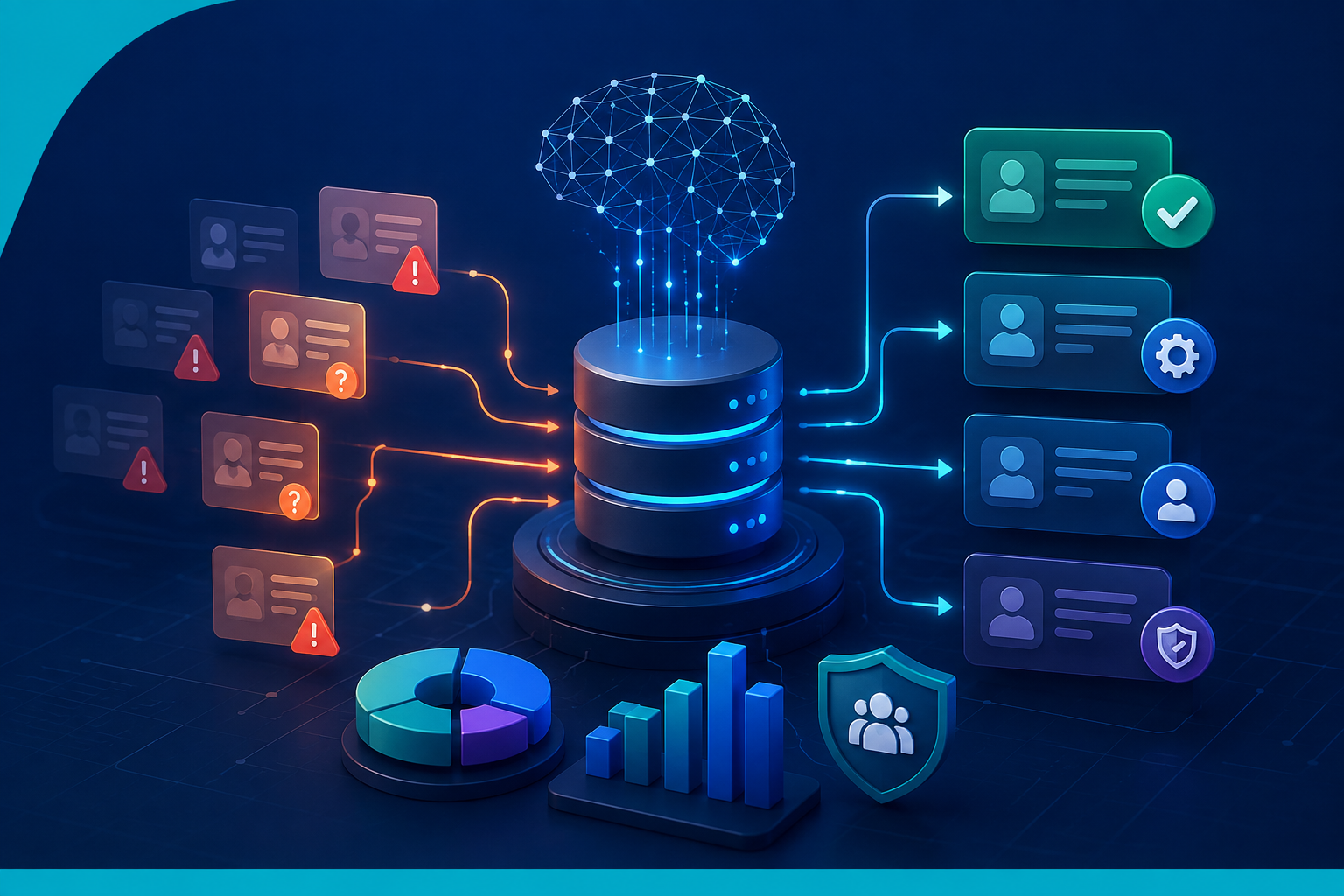
At a basic level, a third-party vendor data integration follows a simple path: third-party vendor, then a data import or integration layer, then HubSpot.
Within that path, a few questions define the project:
- Where does the vendor data originate, and in what format does it arrive?
- How does that data need to be transformed or restructured before it means anything inside HubSpot?
- Where does it ultimately need to live, meaning which HubSpot records and properties?
Every vendor relationship answers these questions differently. Some vendors provide clean, well-labeled exports. Others provide inconsistent fields, missing identifiers, or formats that do not map cleanly to HubSpot's structure. That variability is exactly why "integrate the vendor data" is rarely a single, generic task. It is a project scoped around the specific vendor and the specific HubSpot setup receiving it.
How to Import Out-of-Stock Vendor Data Into HubSpot Automatically
Out-of-stock data is one of the clearest examples of why this matters. When a product goes out of stock with a vendor and that change does not reach HubSpot, the business keeps marketing, quoting, or selling something it cannot fulfill.
The stakes are real. Retailers lose an estimated 1.2 trillion dollars globally each year to out-of-stock situations, and the average eCommerce out-of-stock rate sits around 8 percent, climbing to 10 percent during promotions.[2] When a shopper hits an unavailable product, 69 percent abandon the purchase and go to a competitor, and 52 percent do not buy anything at all, not even a substitute.[3] Worse, 63 percent of shoppers who abandon due to a stockout do not come back even after the item is restocked.[3] Harvard Business Review research cited by Mirakl found that when a product is unavailable, retailers lose nearly half of all intended purchases tied to it.[4]
The general shape of an automated OOS import looks like this:
- The vendor provides product and availability information on their own schedule.
- The integration identifies which records represent a change in stock status.
- That data is mapped to the correct HubSpot fields or records.
- The import runs according to a defined workflow rather than a person remembering to run it.
- HubSpot reflects updated availability without repeated manual intervention.
The exact schedule, fields, and technical architecture will always depend on the specific vendor feed and HubSpot setup in question. There is no universal template that fits every OOS integration; the process above is the shape it takes, not a fixed specification.
Mapping Third-Party Vendor Data to HubSpot Fields
Data mapping is the step that determines whether an integration actually works or just moves data from one messy place to another. It means identifying every field coming from the vendor, deciding where each one belongs inside HubSpot, and reconciling the differences between how the vendor structures information and how HubSpot expects it.
This matters because a vendor's data structure and HubSpot's property structure are rarely a one-to-one match. A vendor might combine information that HubSpot expects as separate properties, or omit an identifier that HubSpot relies on to match a record. Sorting that out is not optional cleanup; it is the actual design of the integration.
Mapping should happen before development starts, not during it. A documented field map, built during the discovery stage of a HubSpot integration project, becomes the reference both the development team and the client work from, and it is invaluable later when debugging an issue months after launch.[8] Data integration is not simply about moving data from point A to point B; it is about making sure the right data lands in the right place.
How to Validate Third-Party Data Before Importing It Into HubSpot
Automation without validation just moves bad data faster. Before any vendor record reaches HubSpot, an import process needs a way to catch incomplete records, unexpected formats, and values that do not match what a given property expects.
The cost of skipping this step shows up downstream. IBM research puts the cost of poor data quality to U.S. businesses at roughly 3.1 trillion dollars a year, and Gartner estimates the average organization loses about 12.9 million dollars annually because of it.[6] A Validity survey of more than 1,250 companies found that 44 percent estimate they lose more than 10 percent of annual revenue to low-quality CRM data.[6]
Effective validation for an import pipeline typically covers every entry point, not just the obvious one, since forms, CSV imports, and API-driven integrations can all introduce bad data if none of them are checked.[7] Practically, that means:
- Confirming required fields are present before a record is written to HubSpot.
- Flagging records with formats that do not match the expected property type.
- Preventing malformed or incomplete vendor data from silently overwriting good data already in HubSpot.
Validation matters even more for automated imports than manual ones, precisely because automation removes the person who might have caught an obvious mistake before it went further.
Why Custom HubSpot Development May Be Needed for Vendor Data Imports
Not every vendor has a ready-made HubSpot integration sitting on the marketplace. When a vendor's data structure is specific to their business, or a client's HubSpot setup has its own custom properties and object structure, off-the-shelf connectors often do not fit.
That is when a project shifts from "configure an existing tool" to "build something around this specific data." Custom development lets an integration be designed around the vendor's actual data structure and the client's actual HubSpot setup, rather than forcing both sides to conform to a generic connector's assumptions. Projects at this level of specificity generally call for a development team, not an individual contractor, since they combine data mapping, backend development, and ongoing quality control.
How to Test a Custom HubSpot Data Integration Before Going Live
Building an integration directly against a live HubSpot portal is a fast way to create a mess in production. The standard approach is to build and test in a staging or sandbox environment first, one that mirrors the live portal's structure without touching real records.[9]
A HubSpot sandbox lets a team test data mapping, imports, and workflows without risk to production data, and it is worth noting that HubSpot does not offer a native rollback system if something goes wrong after a production launch, which makes pre-launch testing even more important.[9][10] A solid testing pass typically includes:
- Confirming the field mapping produces the expected result on real sample data.
- Running the import process end-to-end in staging before it ever touches production.
- Catching issues while they are still cheap to fix, rather than after they have reached live HubSpot records.
- Validating that the integration performs as expected under normal and edge-case data.
Only after an integration has held up in staging does it make sense to move toward a live deployment.
Deploying a Third-Party Vendor Integration Safely in HubSpot
Moving a tested integration from staging to production is its own step, not an afterthought. It typically involves:
- Coordinating the timing of deployment between the development team and the client's team.
- Confirming the production HubSpot environment is actually ready to receive the change.
- Monitoring the first live import closely rather than assuming it will behave exactly like staging.
- Having a defined process for addressing anything unexpected that surfaces after launch.
Because HubSpot has no built-in way to roll back a bad deployment automatically, a validation checklist before go-live and close monitoring immediately after are what keep a launch from turning into a data cleanup project.[9]
Managing Data Integration After Launch
An integration is not "done" the day it goes live. Vendor data structures change, edge cases surface that testing did not catch, and ongoing monitoring is what keeps the integration doing its job months later.
Post-launch support typically covers:
- Monitoring the integration for failures or unexpected behavior.
- Fixing bugs that only show up under real production data volume.
- Updating the mapping or logic if the vendor changes how they structure their data.
- Maintaining data quality over time rather than letting it drift.
A 90-day post-launch support window for items that were in the original scope is a reasonable standard for this kind of project. It gives a team time to surface and fix issues while the integration is still fresh, rather than treating launch day as the finish line.
Third-Party Vendor Data Integration vs. Manual HubSpot Imports
| Manual Imports | Automated Integration |
|---|---|
| Requires recurring human effort | Repeatable automated process |
| Greater opportunity for manual errors | Validation can be built into the process |
| Data may become outdated between imports | Data can be updated according to the integration workflow |
| Difficult to scale | More scalable |
| Requires ongoing operational effort | Reduces repetitive work |
Automated systems still need monitoring and maintenance, but the nature of that work shifts from repetitive data entry to oversight, which is a fundamentally lighter lift as vendor catalogs grow.[11]
What to Consider Before Building a HubSpot Vendor Data Integration
Before development starts, it helps to have clear answers to a set of planning questions:
- Where does the vendor data come from, and in what format?
- What information actually needs to enter HubSpot?
- Which HubSpot records and properties should be updated?
- How should the vendor data be mapped to those properties?
- How frequently should the data be imported?
- What should happen when incoming data is incomplete or invalid?
- How will the integration be tested before it goes live?
- How will it be deployed to production?
- Who is responsible for maintaining it after launch?
- What happens if the vendor changes their data structure down the line?
Working through these questions before development starts is what keeps a project scoped correctly, rather than discovering the answers halfway through a build.
Why Work With an Experienced HubSpot Integration Development Team?
A vendor data integration touches data mapping, backend development, testing, and deployment, which is a different skill set than general HubSpot configuration. A few things worth looking for in a development partner:
- A development-focused team, not a single generalist contractor, since this kind of project spans multiple disciplines.
- Dedicated project management to keep the work on schedule and communication clear.
- A real quality control process, not just "it worked when I tried it once."
- A staging-then-production deployment process, not development happening directly against live data.
- Flexibility around deliverables as the actual vendor data reveals edge cases discovery did not catch.
Computan's team has also served as HubSpot Academy instructors for the HubSpot Data Integrations Certification program, which is the kind of hands-on integration experience that translates directly into projects like this one.
Automate Your Third-Party Vendor Data Imports With Computan
Have vendor data that needs to flow into HubSpot automatically instead of through a recurring manual import? Computan can help plan, develop, test, and deploy a custom HubSpot data integration built around your actual vendor feed and your actual HubSpot setup.
Computan is a Canadian technology company providing development and integration services to businesses across global markets. As highlighted in the proposal, Computan has full-time team members across multiple countries, including Canada, the US, England, UK, Australia and others, enabling the team to support clients internationally.
Sources
- Parsli: 67 Data Entry Statistics & Automation Trends
- Opensend: 7 Out-of-Stock Rate Statistics For eCommerce Stores
- Opensend: 29 Product Availability Statistics for eCommerce Stores
- Mirakl: The $1.2T Problem, Why Out-of-Stocks Are Crushing Retailers
- Opensend: 29 Inventory Stock-out Rate Statistics for eCommerce Stores
- Databar.ai: Bad CRM Data, Why It Kills Revenue Forecasts
- Databar.ai: CRM Data Validation, Stop Bad Data Before It Enters Your CRM
- Periti Digital: The 5 Distinct Stages of Any HubSpot Integration Project
- If Else Agency: Manage Multiple Environments on HubSpot for Complex Projects
- IntegrateIQ: HubSpot Sandbox Environments, Setup & Best Use Cases
- Nutshell: Keeping CRM Data Up-to-Date and Accurate
Frequently Asked Questions
Why should third-party vendor data imports be automated instead of handled manually?
Manual imports require recurring effort every time a vendor updates their data, and they carry a real error rate that gets more expensive to fix the longer bad data sits in your system. Automation keeps HubSpot in sync without a team repeatedly re-doing the same manual work.
What is a third-party vendor data integration with HubSpot?
It is a process that moves data from a vendor's system, through a mapping and import layer, into the correct HubSpot records and properties. Every vendor's data structure is different, so the integration is typically scoped around that specific vendor and HubSpot setup.
Why is out-of-stock data a common use case for this kind of integration?
Because stale availability data has a direct, measurable business cost. If HubSpot does not reflect a vendor's current stock status, marketing and sales can keep promoting or quoting products that are not actually available.
Does every vendor need a custom HubSpot integration?
Not always. Some vendors have existing connectors that fit standard use cases. Custom development becomes necessary when a vendor's data structure or a client's HubSpot setup is specific enough that an off-the-shelf tool cannot map it correctly.
Why does data need to be validated before it enters HubSpot?
Because an automated import without validation just moves bad data faster and at greater scale. Catching incomplete or malformed records before they reach HubSpot prevents that bad data from spreading into reporting, workflows, and downstream decisions.
Where should a vendor data integration be built and tested first?
In a staging or sandbox environment that mirrors the live HubSpot portal, not directly against production. Since HubSpot has no native rollback for a bad deployment, testing in staging first is what keeps a launch from turning into a cleanup project.
What happens after a vendor data integration goes live?
It still needs monitoring, bug fixes, and updates if the vendor changes their data structure. A defined post-launch support period, such as 90 days, gives a team time to catch and resolve issues while the integration is still new.