Your CRM was supposed to tell you everything: what happened, what needs to happen next, and who needs attention. Most CRMs never deliver on that promise, not because the software is broken, but because someone has to keep feeding it. AI is finally closing that gap, and the result is a CRM that works the way it was pitched a decade ago.
TL;DR
- A CRM can only tell you what has already been logged in it, and most reps and teams do not log consistently.
- Sales reps lose roughly 60 percent of their week to admin and data entry instead of selling.
- AI should sit around HubSpot as an intelligence layer, not replace it as the system of record.
- AI can capture calls, emails, and meetings automatically and turn them into follow-ups, tasks, and a daily call list.
- Native tools like HubSpot Breeze handle common use cases well, while custom AI workflows handle edge cases and cross-system reasoning.
- The safest rollout starts with one workflow, read-only access, and human approval before AI sends or changes anything.
Your CRM Is Only As Smart As The Data Going Into It
The original promise of a CRM was simple: tell you what happened, what needs to happen next, and who needs attention. In practice, that promise depends entirely on people consistently logging calls, emails, follow-ups, notes, and next steps, and most people do not do that consistently. HubSpot can store all of it. It just cannot make anyone type it in.
As Sajeel Qureshi, CEO of Computan, put it on a recent episode of the company's Unwatchable podcast, a CRM will tell you anything you want, as long as you already told it. If you logged that you talked to a contact on Wednesday and were supposed to follow up Thursday, the CRM will surface that. The problem was never what the CRM could store. It was getting the information into the CRM in the first place.
AI changes that equation. Instead of relying on a person to remember to log a call or draft a follow-up, AI can capture the conversation, interpret it, and route the right information back into the CRM automatically. The future is not AI instead of the CRM. It is AI working with the CRM.
What A Smarter CRM Actually Looks Like
The difference between a traditional CRM workflow and an AI-assisted one comes down to who is doing the remembering.
| Step | Traditional CRM | AI plus HubSpot |
|---|---|---|
| Logging a call | Rep manually types notes afterward, if they remember | AI transcribes the call and drafts the log automatically |
| Spotting who needs follow-up | Rep scrolls through deals and their own memory | AI scans emails, transcripts, and CRM activity to surface the list |
| Writing the follow-up | Rep starts from a blank message every time | AI drafts a starting point in the rep's voice for review |
| Reporting on activity | Manager pulls reports to reconstruct what happened | AI summarizes activity across HubSpot, email, and meetings |
| System of record | HubSpot, when someone remembers to update it | HubSpot, kept current automatically by the AI layer |
Sales reps spend roughly 40 percent of an average workweek actually selling and the other 60 percent on admin work, meetings, and manual data entry, according to Salesforce's State of Sales research.[2] Other analyses put the number even higher, with reps losing close to two full working days a week to CRM housekeeping.[4] That gap is exactly what an AI layer around HubSpot is built to close.
Keep HubSpot As The System Of Record
This is the architectural principle that keeps the whole approach from turning into a mess: do not try to replace HubSpot with an AI tool. Keep contacts, companies, deals, activities, and CRM history in HubSpot. Let AI work around the CRM to collect, analyze, and act on that information.
Joe Jerome, CRO of Computan, described this split plainly on the podcast: you can set reminders in a tool like Claude, but the key is that everything stays tracked in HubSpot as your system of record. When he needs a clean list with specific attributes, he goes straight to HubSpot rather than routing a simple, already-structured task through an AI layer that does not need to touch it.
HubSpot equals system of record. AI equals intelligence and automation layer. The two are not competing for the same job.
Connect HubSpot To The Rest Of Your Business Data
A smarter CRM cannot depend on a single data source. The value comes from context stitched together across systems, not from bolting a chatbot onto HubSpot. A typical stack looks like this:
- HubSpot: CRM records, deals, emails, calls, activities
- An AI platform such as Claude: reasoning, analysis, prioritization, workflows
- Fireflies or Fathom: meeting recordings, transcripts, action items
- Email: conversations and replies
- Notion: internal knowledge and context
- n8n or custom integrations: connecting systems and automating the handoffs between them
On the podcast, Joe and Sajeel described this as their actual working stack: HubSpot, Claude, Notion, and n8n, plus Fireflies for meeting notes and whatever messaging tool handles day-to-day communication. The point is not any single tool. It is that the tools talk to each other so nothing important only lives in one person's head or inbox.
Use AI To Capture The CRM Data Humans Forget To Log
This is where most CRMs quietly fail. Calls do not get logged. Follow-up emails do not get recorded properly. Meeting notes are incomplete. Tasks do not get created. Next steps disappear into someone's inbox and never resurface.
Sajeel described this directly: the hardest part is usually going in after a call to log what happened, and it is a habit most sales reps and marketing teams do not have. AI can transcribe the call, extract the action items, identify the follow-up commitments, summarize the conversation, connect it back to the right CRM record, and create the task, with a human confirming before anything sends. Companies that have automated this layer of CRM data entry report roughly a 50 percent reduction in the time it takes,[3] and some report as much as 17 percent of administrative time reclaimed from automated logging alone.[11]
Build An AI Follow-Up Engine Around HubSpot
Joe's own follow-up workflow is a useful, concrete example. Prospects stop responding. A salesperson ends up with dozens of open threads. Someone has to remember who was contacted, when, and what was said. Writing every one of those follow-ups from scratch takes real time.
Here is what he actually did: he asked AI to go through his sent and received emails and flag everyone he had failed to follow up with, and everyone who had gone quiet on him. He then had it draft a short, two-line starting message for each one, written in his normal tone and informed by his sales training, and drop the drafts into his inbox. The result was about fifteen drafted follow-ups waiting for review. He edited most of them before sending, because, in his own words, having AI do all of it unedited is always a bad idea. But the starting point was enough to get fifteen overdue emails out the door in about fifteen minutes.
That instinct matches the data. Roughly 44 percent of salespeople give up after a single follow-up attempt, and about 70 percent of reps send only one follow-up email before stopping.[8] Most deals require five or more touches to close.[10] An AI layer that keeps the list of who needs a follow-up in front of a rep, and drafts the starting point, directly attacks the exact behavior that costs deals.
The principle behind all of it: AI should accelerate the salesperson, not blindly send everything on their behalf.
Turn HubSpot Into A Daily "Who Should I Call?" Engine
Instead of opening HubSpot and asking what happened, AI can answer a more useful question: who should I talk to today. That answer comes from combining several signals that usually live in different places: recent email clicks, replies, multiple opens, recent meetings, form submissions, deal activity, prior conversations, meeting transcripts, and unfinished follow-up tasks.
The workflow is straightforward once the systems are connected: HubSpot, email, and meeting transcripts feed into AI analysis, which produces a prioritized call list and creates the matching HubSpot tasks. Leads that get a response within five minutes are up to nine times more likely to engage than ones that wait even a little longer,[9] which is exactly why surfacing the right person at the right moment, automatically, matters more than having the data sitting somewhere in the CRM unused.
Close The Loop With AI-Powered Sales Meetings
The same idea scales from one person's inbox to a whole team's rhythm. Joe described his actual daily process: before the sales meeting, AI checks his emails, his teammates' emails, meeting transcripts, internal and client chat channels, and cross-references HubSpot to build a complete picture of every open deal, what is missing, who needs to be contacted, and who needs a proposal or a contract.
During a short daily meeting, the team reviews that list and assigns who owns what. The next day, AI checks whether those assigned actions actually happened and reports back, closing the loop instead of just producing another static report. Sajeel summed up why that loop matters: when the AI prompts the team the next morning about whether something got done, the meeting notes from Fireflies feed back into the system automatically, so nobody has to manually update the pipeline by hand.
That is the difference between a CRM as a historical database and a CRM connected to a system that actually closes the loop.
Don't Try To Make AI Do Everything Inside HubSpot
It is worth resisting the common narrative that AI will replace the CRM outright. Some jobs are still better handled natively inside HubSpot: CRM records, pipeline management, standard reports, deal management, contact management, and native workflows. Other jobs are better handled by an AI layer working around it: reading across multiple systems, reasoning over large amounts of context, summarizing conversations, spotting patterns, and handling edge cases that do not fit a standard workflow.
Joe made this point directly: using Claude to do something that was technically possible inside HubSpot is not bad press for HubSpot. It is just picking the tool that makes more sense for that specific task. HubSpot does not need to disappear just because some jobs are easier to do through an AI layer.
Where HubSpot's Native AI Fits
HubSpot's own AI, Breeze, is built on three parts: Breeze Assistant, an in-app copilot for day-to-day tasks like summarizing a record or drafting a quick email; Breeze Agents, which handle more autonomous, end-to-end workflows like prospecting; and Breeze Intelligence, the data layer behind predictive scoring and forecasting.[5][6] Some analysts now describe Breeze Agents as core infrastructure for what HubSpot calls the Smart CRM, rather than a nice-to-have add-on.[7]
Native AI handles the common use cases well. Custom AI becomes useful once a workflow needs to go deeper or reach across several systems at once. Sajeel described testing this limit directly: he asked Breeze to bulk-reassign ten thousand contact records with notes for the new owner, and Breeze's honest answer was that it could not, and would not, do that. That is not a knock on Breeze. Its licensing, security, and commoditization constraints mean it is built for broad, common use cases, not deep, organization-specific edge cases. Custom tools, built with more context and fewer constraints, are what cover the gap.
The goal is not choosing one over the other. It is building the right architecture around the CRM, with native AI handling the routine and custom AI handling the deep and specific.
The AI Plus HubSpot Architecture
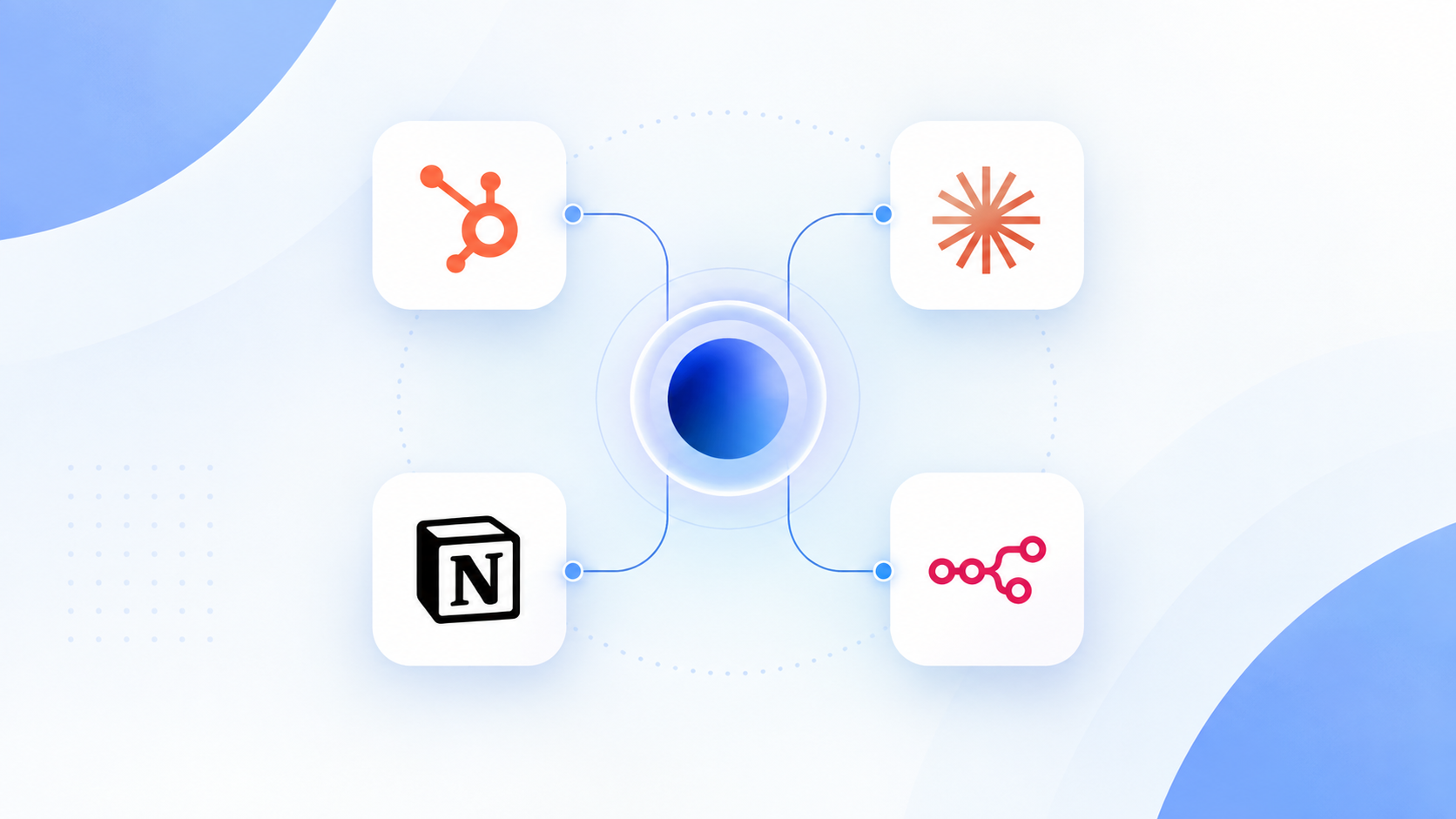
A simple way to picture this: an AI agent layer sits in the middle, analyzing, prioritizing, summarizing, recommending, and triggering workflows. It draws in data from HubSpot's CRM, from email, and from meeting transcripts captured by tools like Fireflies or Fathom, plus additional context from Notion, n8n, Slack, and whatever other business tools a team relies on. HubSpot still owns the CRM records. The AI layer just makes sure the right information reaches it, and the right insight comes back out.
Start With One Workflow, Not A Giant AI Project
Teams that try to overhaul everything at once tend to stall. A more realistic rollout looks like this:
- Clean the CRM. Fix owners, correct lifecycle stages, remove inaccurate fields, standardize properties.
- Identify where information is being lost. Is it calls, emails, meetings, tasks, or follow-ups that keep falling through?
- Connect the relevant systems. HubSpot, email, meeting transcription, and internal knowledge sources.
- Build one high-value AI workflow first. Something like who should I call today, which leads need follow-up, or brief me before this call.
- Add human approval. Let AI recommend or draft, and let a person approve anything that matters before it goes out.
- Measure the result. Track follow-ups completed, response rate, meetings booked, time saved, and CRM completeness.
Common Mistakes When Combining AI And HubSpot
Sajeel's running banana peppers analogy from the podcast fits here surprisingly well: banana peppers are great on a pizza or a sandwich, but nobody should put them in a peanut butter sandwich just because they are available. AI works the same way. It is great in the right place and genuinely bad in the wrong one.
- Adding AI without fixing CRM data first. Bad data plus AI just means faster access to bad information.
- Using AI for everything. Not every task needs an agent, and forcing one onto a task that does not need it wastes effort.
- Removing humans from customer-facing interactions. Sajeel's own example was blunt: replacing a person with an AI avatar for something that needed a human moment does not land, and people notice.
- Automating before understanding the workflow. Understand the process first, then automate the repeatable parts of it.
- Letting AI take unrestricted actions. Start read-only. Add approval gates before AI can write, send, or make bulk changes.
What A Smarter HubSpot Could Look Like
Put the pieces together and a normal morning could look like this. At 8:30 a.m., AI reports that there are seven people worth calling today: two clicked a case study twice, one replied to an email, two opened multiple recent emails, one submitted a form, and one had a meeting last week with no follow-up logged. For each person, it surfaces their name, company, recent activity, why they made the list, a suggested opening question, their phone number, and a link to their HubSpot record.
The salesperson makes the calls. The transcripts feed back into the system afterward. The next morning, AI checks what actually happened and updates the list. That is what a smarter CRM looks like in practice, not a new database, but a system of record finally connected to something that helps people use it.
AI Doesn't Replace The CRM. It Completes It.
For years, companies bought CRMs expecting the system to tell them what was happening. The problem was always the same one: someone had to remember to put everything into it. AI changes that by capturing conversations, interpreting emails, connecting information across tools, identifying the next action, and surfacing the right person at the right time. HubSpot becomes more than a database. It becomes the system of record connected to an intelligence layer that actually helps people use it, which was the point of buying a CRM in the first place.
Sources
- Attention: The CRM Data-Entry Tax, What Reps Actually Spend Their Time On In 2026
- Kixie: CRM Statistics and Market Insights for 2026
- Stealth Agents: AI CRM Automation Statistics 2026
- Workd: The CRM Tax, Why Sales Reps Lose Two Days a Week to Data Entry
- Eesel AI: HubSpot Breeze AI Capabilities in 2026, A Complete Guide
- HubSpot Knowledge Base: Understand Breeze
- On The Fuze: HubSpot Breeze AI Agents, The Complete 2026 Guide
- Cirrus Insight: Sales Follow-Up Statistics
- Peak Sales Recruiting: Sales Follow-Up Statistics
- MyMeet: The Art of Follow-Up, How to Get Responses to Your Emails
- Apollo: How Does Sales Automation Software Help Reduce Manual Data Entry for Sales Reps in 2026
- Landbase: Why Sales Reps Spend Less Than 30 Percent of Their Time Selling
Frequently Asked Questions
Should AI replace our CRM?
No. HubSpot should stay the system of record for contacts, companies, deals, and activity history. AI works best as an intelligence layer around HubSpot that captures data, drafts follow-ups, and surfaces priorities, not as a replacement for the CRM itself.
What is the biggest reason CRM data goes stale?
Manual logging. Calls, follow-up emails, and meeting notes only make it into the CRM if a person remembers to enter them. AI can capture and log that activity automatically, which is why sales reps spend roughly 60 percent of their week on admin work instead of selling.
Is HubSpot's native AI, Breeze, enough on its own?
Breeze handles common, broad use cases well, including drafting content, summarizing records, and basic prospecting. It has real limits around licensing, security, and edge cases, which is where custom AI workflows built around HubSpot add the most value.
How do you get started without a huge AI project?
Start with one high-value workflow, such as a daily prioritized call list or automated follow-up drafting. Clean the underlying CRM data first, connect only the systems you actually need, and add human approval before AI sends or changes anything.
Is it safe to let AI send emails or update CRM records on its own?
Start read-only. Let AI draft follow-ups, flag priorities, and suggest updates, with a person reviewing and approving before anything sends or changes a record. Expand AI's permissions only after the workflow has proven reliable.
What tools work well together for an AI-connected CRM?
A common stack pairs HubSpot as the system of record with an AI platform for reasoning and drafting, a meeting transcription tool like Fireflies or Fathom, and an automation layer like n8n to connect everything and trigger workflows.