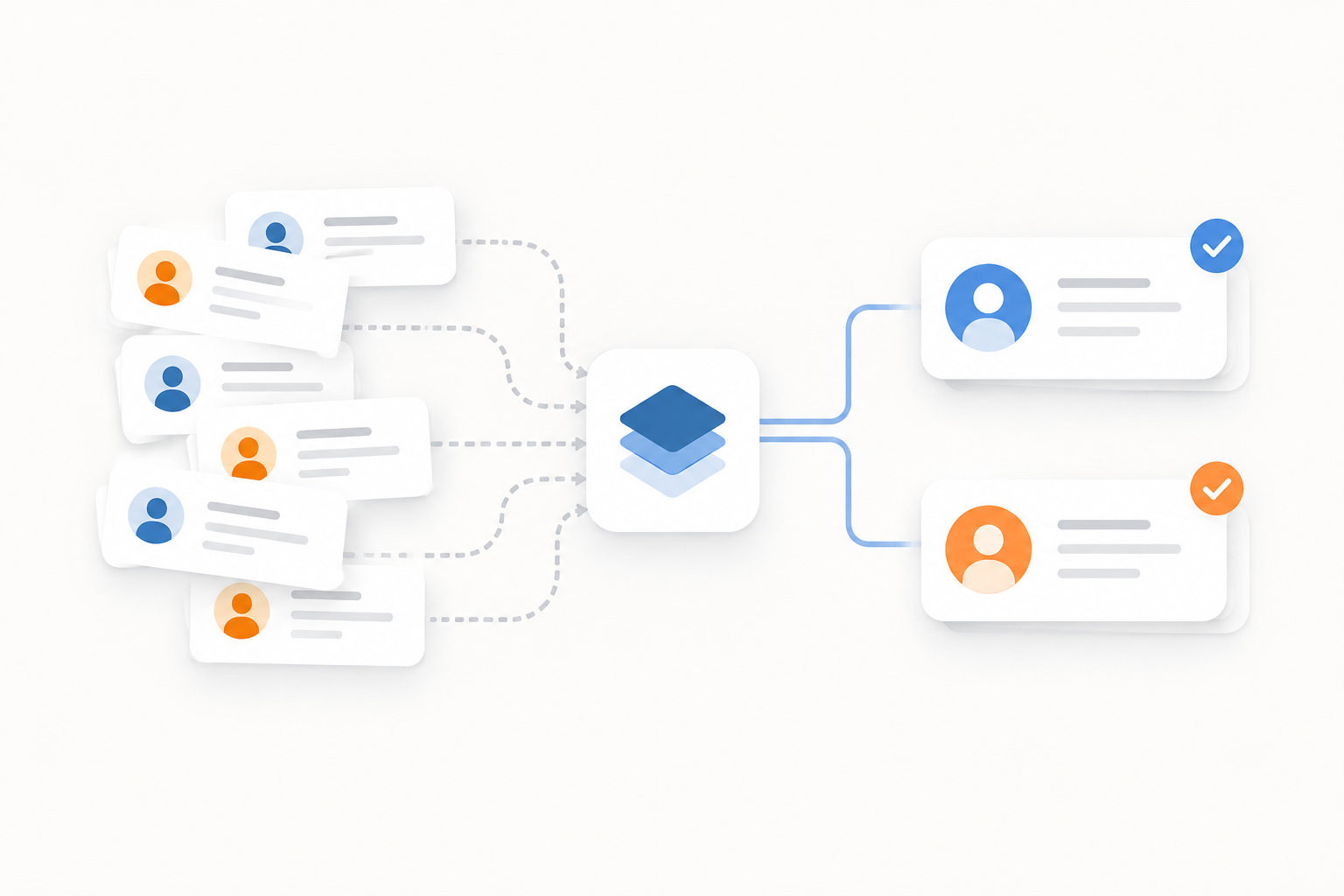
Connecting a learning management system to a CRM sounds simple until you actually try to keep the two in sync. Learner activity happens constantly, course enrollments change by the hour, and none of it means anything to your sales or customer success team unless it shows up where they already work: HubSpot. When native connectors cannot support the data structure or workflows you need, a custom Docebo to HubSpot integration built on webhooks and middleware is usually the answer.
TL;DR
- Integrating Docebo with HubSpot gives sales, marketing, and customer success teams a single, unified view of learner and customer data.
- Docebo webhooks push course enrollment, unenrollment, completion, ILT session, and learning plan events to your middleware in near real time.
- A Laravel-based middleware layer receives, transforms, validates, and pushes that data into HubSpot through its API.
- Field mapping classes and custom HubSpot objects keep Docebo data structured correctly once it lands in your CRM.
- Robust error handling, logging, and a staging-to-production deployment process are what separate a reliable integration from a fragile one.
Why Integrate Docebo With HubSpot?
A Docebo to HubSpot integration exists to solve one problem: learning data and CRM data living in two separate systems that never talk to each other. Without it, training teams can pull reports, but sales, marketing, and customer success have almost no visibility into who is actually engaging with your courses.[8]
Sync LMS learner data with HubSpot to create a unified customer record
When Docebo learner data flows into HubSpot, contact records stop being just a name and an email address. Course enrollments, learning plan activity, and completions attach directly to the contact or company record, giving every customer-facing team the same picture without needing to log into Docebo at all.[10] Customer and account information can also flow the other direction to control learning eligibility, but for most HubSpot-first organizations the priority is getting Docebo LMS HubSpot integration data into the CRM where deals and support tickets already live.[8]
Automate Docebo course enrollment data in HubSpot
Manually re-entering enrollment data, or worse, exporting spreadsheets from Docebo every week, does not scale past a handful of learners. An automated integration eliminates that manual work entirely and keeps enrollment records updated the moment a learner enrolls or unenrolls, which matters just as much for accuracy as it does for saving time.[9]
Connect training completion data to HubSpot for better customer engagement
Course completions and learning activity are genuinely useful CRM signals. A customer who just finished an advanced product training course is a very different conversation for your customer success team than one who has not logged in for months.[11] Feeding that signal into HubSpot supports more informed marketing segmentation and customer success workflows without anyone having to ask the training team for a report.[10]
Why Use Webhooks for Docebo to HubSpot Integration?
How Docebo webhooks enable real-time LMS-to-CRM data synchronization
Docebo webhooks fire automatically when a defined event occurs on the platform, sending a payload to a specified URL rather than waiting for someone to run a scheduled export.[1] That event-driven model is the core of any real-time Docebo HubSpot data synchronization strategy: instead of a nightly batch job that leaves HubSpot stale for hours, your middleware receives the event almost as soon as it happens in Docebo and can push the update to HubSpot within moments.[1]
Which Docebo events should you sync with HubSpot?
Not every event Docebo can fire is worth syncing. The proposal we scoped for this type of Docebo HubSpot API integration focused on the events that actually move the needle for CRM data:
- Course enrollment
- Course unenrollment
- Course completion
- ILT session creation and modification
- ILT session enrollment and unenrollment
- Learning plan enrollment, unenrollment, and completion
One technical detail worth planning around: Docebo limits platforms to 10 active webhooks, with up to 8 events per webhook.[2][3] That means grouping related events into a small number of webhooks is a design decision, not an afterthought, if you want a scalable Docebo webhook HubSpot integration.
How Custom Middleware Connects Docebo to HubSpot
What is middleware in a custom Docebo-HubSpot integration?
Middleware is the layer that sits between Docebo and HubSpot. It is responsible for receiving the webhook payload, transforming the data into a format HubSpot understands, validating it, and transmitting it to HubSpot through the API. Without this layer, you are stuck trying to force a native connector to do something it was never built to do.
How to transform Docebo data into a HubSpot-compatible format
Docebo fields do not map one-to-one to HubSpot properties out of the box. Middleware needs to standardize incoming data, whether that means renaming fields, reformatting dates, or restructuring nested payloads, before anything gets sent to HubSpot. This step becomes more important, not less, as the integration grows to cover more object types and event triggers.
How API-based middleware pushes LMS data into HubSpot automatically
Once the payload is transformed and validated, the middleware calls HubSpot's API to create or update the appropriate record. In a Laravel-based build, this typically means a webhook controller receiving the event, a mapping class transforming the payload, and a service class handling the actual HubSpot API call, whether that is creating a new course enrollment record or updating an existing ILT session.
How to Map Docebo Learning Data to HubSpot CRM Objects
HubSpot's custom objects make this kind of mapping possible in the first place. Custom objects run on the same infrastructure as standard CRM objects, support the same create, read, update, and delete operations through the API, and can be associated with contacts just like any other record.[5] HubSpot's own developer documentation actually uses a training company as its example: modeling learning courses and training sessions as custom objects, then associating contacts with those training sessions.[5] That is essentially the exact structure a Docebo LMS HubSpot integration needs, and it starts with defining custom objects and their association labels in your data model before any data starts flowing.[7]
How to map Docebo course enrollment data to HubSpot
Course enrollment records need to carry the learner-to-contact relationship along with the relevant course information. Field mapping classes handle translating Docebo's enrollment payload into the properties your HubSpot Course Enrollment object expects.
How to sync Docebo ILT sessions and attendance with HubSpot
Instructor-led training adds another layer: session details, session attendance, and session enrollment all need their own mapping logic so that HubSpot reflects who was scheduled, who attended, and how that ties back to a specific session record.
How to sync Docebo learning plans with HubSpot CRM
Learning plans bundle multiple courses together, so the mapping has to account for enrollment, completion, and the relationships between learners and the learning plan itself, not just a single course.
How to Create and Update Docebo Records in HubSpot Automatically
Once data is mapped, the middleware needs logic to create a new record when one does not exist and update it when it does, rather than generating duplicate records every time an event fires. Custom object records can be created individually or in batches through HubSpot's objects API, and once created, their associations are managed through the associations API.[6]
Automate HubSpot course enrollment record creation from Docebo
When a new enrollment event comes through, the middleware checks whether a matching record already exists in HubSpot and creates one if it does not, keeping the CRM current without manual intervention.
Update HubSpot learning records when Docebo data changes
Status changes, like a course moving from in-progress to completed, trigger an update to the existing record rather than a new one, so HubSpot always reflects the current state in Docebo.
Associate LMS enrollment records with HubSpot contacts and courses
Associations are what make this data useful inside HubSpot rather than just sitting in a disconnected custom object. A properly built integration associates:
- Course enrollment records with the relevant contact
- Course enrollment records with the course itself
- ILT sessions with their parent session record
- Learning enrollment records with both the contact and the learning plan
You have to define the association type between custom objects before HubSpot will let you associate their records, so this needs to be planned during the object schema setup, not bolted on afterward.[6]
How to Handle Errors and Data Validation in a Docebo-HubSpot Integration
Why error handling matters in an automated LMS-to-CRM integration
A synchronization that fails silently is worse than no synchronization at all, because nobody notices the data has drifted until someone in sales complains that HubSpot looks wrong. Error handling exists to catch failed webhook events before they become a trust problem.
How to validate Docebo data before sending it to HubSpot
Validating required fields and checking data structure and formatting before anything gets pushed prevents invalid or incomplete records from ever landing in HubSpot in the first place.
How logging improves reliability in custom HubSpot integrations
Docebo's own webhook infrastructure is a useful model here. When a webhook fails to deliver, Docebo retries using an exponential backoff policy, and after 10 failed attempts the message lands in a Dead Letter Queue that can be retrieved by ID through the API.[4] A well-built middleware layer mirrors that same discipline: logging webhook activity, tracking failed API requests, and giving your team a way to find and replay anything that did not sync the first time, rather than losing it entirely.
How to Deploy a Custom Docebo-HubSpot Integration Safely
Why you should test a custom HubSpot integration in a staging environment
Every webhook, mapping class, and HubSpot API call should be developed and tested in staging first. This is where mapping and API issues surface, before they can touch live CRM data.
How to move a Docebo-HubSpot integration from staging to production
Moving to production involves setting up the live server environment, configuring and deploying the middleware, and validating that everything is syncing correctly post-launch. Staging and production server setup is its own line item precisely because skipping it is how integrations break in front of the whole sales team instead of in front of the developer.
Docebo-HubSpot Integration: Native Connector vs. Custom Middleware
| Factor | Native Integration | Custom Middleware |
|---|---|---|
| Data mapping | Limited or fixed | Fully customizable |
| Event handling | Depends on connector | Custom webhook events |
| HubSpot objects | Connector-dependent | Built around your requirements |
| Associations | Potentially limited | Custom-defined |
| Error handling | Platform-dependent | Custom logging and validation |
| Scalability | Depends on connector | Can evolve with your business |
Choosing between the two really comes down to whether a standard connector can represent your data the way your business actually needs it represented. Deciding which system should be the source of truth for each data point, and mapping out that flow before development starts, is a step worth taking seriously regardless of which path you choose.[9]
When Should You Build a Custom Docebo-to-HubSpot Integration?
A custom LMS to HubSpot integration is usually the right call when:
- Your LMS data structure does not fit a standard HubSpot connector
- You need real-time Docebo data synchronization with HubSpot, not a nightly batch sync
- Your business needs custom HubSpot objects and associations that a native connector cannot represent
- Manual LMS-to-CRM data entry is slowing down your team
- You need greater control over integration logic and data validation than a pre-built connector allows
Organizations that get involved teams early and set clear goals for the integration, whether that is reducing onboarding time or giving sales visibility into training completion, tend to end up with an integration that actually gets used.[8]
Best Practices for Building a Reliable Docebo-HubSpot Integration
- Define the data model before development starts
- Identify every required webhook event up front, keeping Docebo's 10-webhook and 8-event limits in mind[2]
- Create a clear field-mapping strategy for each object type
- Design associations carefully, including which object owns which relationship
- Build validation and error handling in from the beginning, not as a patch later
- Test extensively in staging before touching production data
- Monitor webhook and API activity after launch
- Document the integration so future maintenance does not depend on one person's memory
How Computan Can Help With Custom Docebo and HubSpot Integrations
Computan has been active in the HubSpot community since 2015, and we build 3 to 5 custom integrations between HubSpot and other CRM, ERP, accounting, and SaaS platforms every month. Our team has served as HubSpot Academy professors for the HubSpot Data Integrations Certification program, and Clutch independently rates Computan among the top 5 HubSpot partners in the world.
When it comes to a custom Docebo HubSpot integration, that experience shows up in the details: middleware development, webhook-based architecture, field mapping strategy, HubSpot custom object and association setup, and staging-to-production deployment with post-launch support. We have a fully in-house project management, development, and quality control team, which matters on integration work where the cost of a missed edge case is a CRM full of bad data.
Computan is a Canadian company serving clients across Canada, the United States, the United Kingdom, Australia, and other parts of the world. With an international, in-house team, Computan brings the technical expertise and development resources needed to support complex HubSpot integrations and digital projects for organizations across different markets and time zones.
Frequently Asked Questions About Docebo-HubSpot Integration
Can Docebo integrate with HubSpot?
Yes. There is no fully native, out-of-the-box connector that handles every use case, which is why most organizations with non-standard data structures or custom HubSpot objects build a webhook and middleware-based integration instead.
How do I connect Docebo to HubSpot using webhooks?
You configure webhooks in Docebo for the events you want to track, such as course enrollment or completion, point them at a middleware endpoint, and have that middleware transform and push the data into HubSpot through its API.
Can Docebo course enrollments be synced to HubSpot automatically?
Yes. A course enrollment webhook combined with a mapping class and HubSpot API call can create or update enrollment records automatically as learners enroll or unenroll.
How do I sync Docebo course completion data with HubSpot?
A dedicated course completion webhook fires when a learner finishes a course, and middleware maps that event to an update on the corresponding HubSpot record, often used to trigger downstream marketing or customer success workflows.
Can Docebo ILT session data be sent to HubSpot?
Yes. ILT session creation, modification, enrollment, and unenrollment can each be tracked through webhooks and mapped to HubSpot session and attendance records.
What is middleware in a Docebo-HubSpot integration?
Middleware is the application layer between Docebo and HubSpot that receives webhook events, transforms and validates the data, and pushes it into HubSpot through the API.
How much does a custom Docebo-HubSpot integration cost?
It depends on scope, but a project covering the full range of webhook events, field mapping classes, record creation and updates, associations, and staging and production deployment is typically scoped in the hundreds of development hours. Get a detailed quote based on your specific event and object requirements.
When should I use a custom integration instead of a native connector?
When your data structure, event handling needs, or required HubSpot objects and associations do not fit what a standard connector supports, or when you need real-time synchronization and full control over error handling and validation.
Sources:
- Docebo: Webhook (HTTP) + LMS Integrations
- Docebo Help & Support: Webhooks Events
- Docebo Developer Docs: Creating and Managing Webhooks
- Docebo Help & Support: Webhooks Error Management
- HubSpot Developers: Introducing Custom Objects for HubSpot
- HubSpot Developers: Custom Object Records API Guide
- HubSpot Knowledge Base: Create and Edit Custom Objects
- Talented Learning: LMS-CRM Integration Guide
- Tovuti LMS: CRM-LMS Integration, The Complete Decision Guide
- Meridian: Seamless Connections, The Ultimate Guide to LMS-CRM Integration
- Absorb LMS: LMS CRM Integrations, Everything You Need to Know