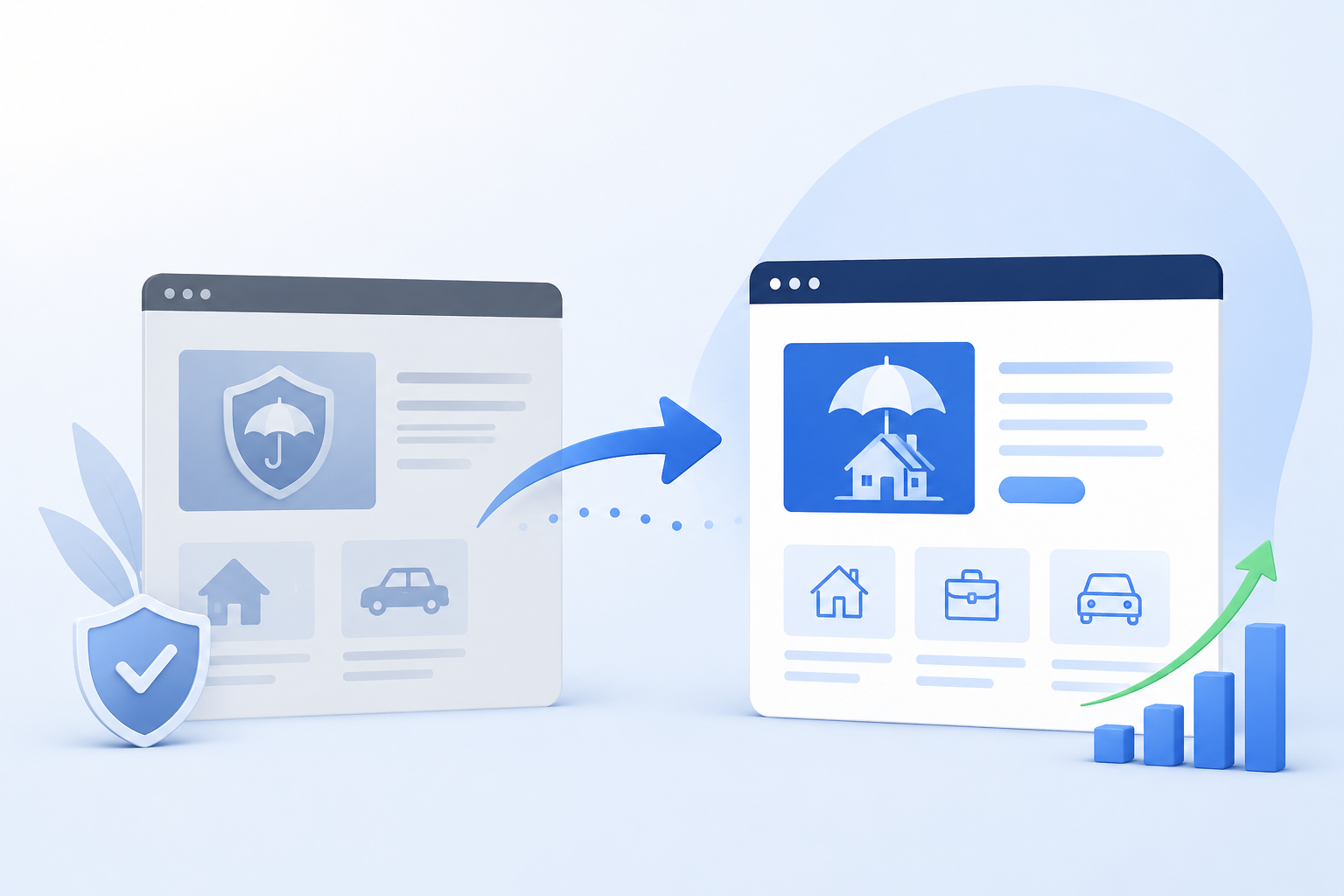
Switching your critical service alert infrastructure from Mailchimp to Postmark is not just a platform swap. It is a decision that protects deliverability, reduces cost, and gives your operations team a purpose-built transactional email system instead of one that was built for newsletters. Done right, the migration is invisible to your subscribers. Done wrong, you lose alert history, break publishing workflows, and trigger a flood of accidental unsubscribes.[1][3]
TL;DR
- Mailchimp is built for marketing emails. Postmark is purpose-built for fast, reliable transactional delivery. The two platforms have fundamentally different architectures.[2]
- Before migrating, audit every alert category, subscriber segment, and automation so nothing falls through the cracks.
- Use a WordPress-based CRM like FluentCRM to own your subscriber data independently of any email platform.[5]
- Magic links and preference centers reduce accidental unsubscribes and give subscribers control without requiring a login.[6]
- Run parallel systems before cutover and build a rollback plan. Mission-critical alerts leave no room for surprises.
Why Organizations Are Replacing Mailchimp for Service Alert Notifications
Mailchimp is a genuinely capable platform for what it was built to do: send newsletters, run campaigns, and track marketing engagement. The problem is that none of those things describe what a service alert system needs to do.[1][2]
Service alert emails are time-sensitive. They carry operational weight. When a building alert, utility notice, or maintenance update hits a subscriber's inbox an hour late because it sat in a shared marketing queue, that is not a deliverability inconvenience. That is a failure with real consequences.[3]
Common Challenges with Using Mailchimp for Critical Service Alerts
Organizations that try to use Mailchimp for transactional or operational notifications typically run into the same set of problems:
- Shared sending infrastructure: Mailchimp routes marketing and operational emails through the same infrastructure. If your marketing campaigns generate complaints or bounces, your alert emails can be affected by that reputation.[2][3]
- Deliverability blind spots: Mailchimp's deliverability reporting is designed around campaign performance, not per-message transactional tracking. You often cannot tell whether a specific alert to a specific subscriber actually arrived.[2]
- Rising costs: Mailchimp's pricing scales with contact list size, which means you pay for subscriber management even when the emails you send are operational rather than commercial.[4]
- Compliance complexity: CASL, GDPR, and CAN-SPAM treat marketing emails differently than transactional notifications. Blending the two in one platform creates compliance exposure.[4]
Why Postmark Is Better for High-Importance Alert Emails
Postmark was built from the ground up for transactional email. Its infrastructure is purpose-separated, meaning your operational alerts go through dedicated sending streams that are never shared with promotional traffic from other senders.[2][3]
Key advantages that make Postmark the right fit for service alert systems include:
- Speed: Postmark consistently delivers transactional messages in seconds, not minutes. For time-sensitive alerts, that gap matters.[3]
- Inbox placement: Because Postmark's sending pools are reserved exclusively for transactional email, they maintain cleaner sending reputations than mixed-use platforms.[2]
- Per-message logging: Postmark tracks individual message delivery, opens, bounces, and spam complaints at the message level. You can audit exactly what happened to any alert sent to any subscriber.[3]
- Message streams: Postmark's message stream feature lets you separate alert types (critical notices, maintenance updates, billing notifications) into distinct delivery channels with independent bounce handling and suppression lists.[2]
How to Audit Your Existing Mailchimp Alert System Before Migration
Migrating without auditing is how organizations lose subscriber preferences, break automations, and discover missing alert categories three weeks after cutover. A thorough pre-migration audit protects against all of that.[1]
Identify All Alert Categories and Subscriber Segments
Start by mapping every list, segment, group, and tag in your Mailchimp account. Document:
- What types of alerts each list or segment receives (critical notices, maintenance updates, billing, newsletters)
- Which segments receive which categories, and whether those segments are manual or rule-based
- Whether any subscriber belongs to multiple overlapping lists and what that means for their actual alert preferences
This inventory becomes the schema you recreate in your new subscriber management system.[5]
Document Current Subscription Preferences and Opt-In Rules
Every subscriber has an opt-in history. Before migrating, export and document how each subscriber joined, what they agreed to receive, and whether they have modified their preferences over time. This matters for compliance and for building a preference center that reflects subscriber intent rather than whatever Mailchimp grouped them into.[4]
Review Existing Email Templates, Automations, and Integrations
List every automated flow connected to your Mailchimp account:
- Triggered emails (what events fire them, what conditions apply)
- Templates (are they built in Mailchimp's drag-and-drop editor or coded HTML?)
- Third-party integrations (your WordPress site, CRM, ticketing system, or building management platform)
- API connections that programmatically add or update subscribers
Each of these will need to be recreated or rerouted in the new system. Identifying them before migration prevents the scenario where an integration silently continues writing to Mailchimp after the cutover.[1][5]
Create a Zero-Downtime Email Migration Plan
A zero-downtime migration means your subscribers continue receiving alerts throughout the transition. The core principle is that no alert should fall in a gap between the old system going inactive and the new system going live. This requires:
- Defining a hard cutover date that operational teams agree on
- Running both systems in parallel during a testing window
- Identifying which integrations need to update their endpoints and ensuring those updates are staged before the cutover[1]
How to Migrate Service Alert Subscribers from Mailchimp to Postmark
Export and Clean Subscriber Data Before Migration
Mailchimp lets you export subscriber lists as CSV files, including custom field data, tags, and group memberships. Export everything, not just email addresses. Then clean the data before importing it anywhere:
- Remove hard-bounced addresses (Mailchimp flags these and so should your new system)
- Remove unsubscribed contacts so you do not accidentally re-add people who already opted out
- Normalize any inconsistent field values (e.g., building names spelled differently across records)[7]
Preserve Subscription Preferences and Alert Categories
The most common data loss in email platform migrations is subscriber preference data. If your Mailchimp setup uses groups or tags to control which alerts a subscriber receives, you need a direct mapping to equivalent fields in your new system. Do not flatten preferences into a single list. Recreate the structure.[1][5]
Validate Email Addresses to Improve Deliverability
Before your first send from Postmark, run your imported subscriber list through an email validation service. Addresses that have aged out, changed domains, or contain formatting errors will generate bounces that hurt your sending reputation on a platform you just set up. Starting clean is significantly easier than recovering from an early deliverability hit.[7][3]
Building a WordPress-Based Subscriber Management System
One of the most durable lessons from email platform migrations is that subscriber data should not live inside whichever email tool you happen to be using right now. When your subscriber records exist only in Mailchimp, switching platforms means fighting to extract your own data. A WordPress-based CRM solves that problem at the architecture level.[5]
Why a CRM Is Better Than Managing Subscribers in Email Platforms
Email platforms like Mailchimp are built to send emails. Subscriber management, in those platforms, is a secondary function that serves the sending engine. A dedicated CRM treats subscriber records as the primary object, with email delivery as one of several outputs.[5]
When your WordPress site is already the publishing hub for alerts, housing subscriber management in the same environment gives you a single source of truth. Subscriber preferences, alert categories, building-specific opt-ins, and contact history all live in one place that your team already has access to.
Using FluentCRM for Alert Subscription Management
FluentCRM is a self-hosted CRM and email automation plugin built for WordPress. For organizations managing service alert subscribers, it provides several relevant capabilities:[5]
- Contact segmentation: Build lists and segments based on custom fields, tags, and dynamic conditions without per-contact pricing
- Automation workflows: Trigger subscriber updates based on WordPress events, form submissions, or API calls
- Native Postmark integration: FluentCRM supports Postmark as a sending provider, meaning subscriber management and email delivery stay connected without custom middleware[5]
- Data ownership: All subscriber data is stored in your own WordPress database, not on a third-party platform's servers
Creating Custom Fields for Building-Specific and Alert-Type Preferences
If your service alerts are location-specific (individual buildings, zones, or service areas), FluentCRM's custom field system lets you capture those preferences at the contact level. A subscriber can indicate they want alerts for Building A but not Building B, or that they receive maintenance notices but not utility updates. These fields travel with the contact record regardless of which sending platform you use going forward.[5]
Centralizing Subscriber Data for Future Platform Flexibility
Owning your subscriber data in WordPress means the next platform migration, if there ever is one, requires only reconnecting a sending provider rather than re-exporting and re-cleaning your entire contact database. This architectural decision pays dividends every time the email landscape changes.
How to Create Self-Service Alert Subscription Management in WordPress
Subscribers who cannot manage their own preferences without contacting support will either unsubscribe entirely or stay opted in to alerts they have stopped reading. Both outcomes are bad for alert deliverability and for subscriber relationships. A self-service preference center solves this.[6]
Allow Users to Update Alert Preferences Without Contacting Support
A WordPress-hosted preference center gives subscribers a page where they can select which alert categories they receive, which buildings or service areas apply to them, and how frequently they want to hear from you. Changes take effect immediately in FluentCRM without any manual intervention from your team.[5][6]
Using Magic Links for Secure Subscription Management
Magic links are unique, tokenized URLs embedded in alert emails that authenticate a subscriber without requiring a password. When a subscriber clicks the manage preferences link in any alert email, the magic link pre-populates their preference center with their current settings. They update what they want, save, and done.[6]
This matters because preference centers without authentication either expose subscriber data to anyone with the URL or require a login that most subscribers will not remember. Magic links thread that needle: secure enough for personal preferences, frictionless enough that subscribers actually use them.[6]
Preventing Accidental Unsubscribes With Preference-Based Controls
One-click unsubscribe links are required for marketing emails. But for operational alerts, an accidental unsubscribe means a subscriber stops receiving notices they actually need. A preference center with category-level controls lets subscribers reduce their alert volume without leaving entirely. Instead of "unsubscribe from all," they can choose "only send me critical notices."[6]
This reduces list churn, improves long-term deliverability, and gives subscribers a reason to stay engaged even when they are in a period of lower interest.[6]
Building a User-Friendly Subscription Preference Center
Best practice preference centers for service alert systems include:
- A clear list of all available alert categories with plain-language descriptions
- Checkboxes for each category rather than a single unsubscribe toggle
- Location or building selectors if alerts are geography-specific
- A prominent save button with a confirmation message so subscribers know their changes were recorded[6]
Preserving Existing Alert Publishing Workflows During Migration
The team responsible for publishing service alerts often has nothing to do with the email platform migration and everything to do with its success. If the migration changes how they create and send alerts, expect resistance. If it breaks something they rely on, expect the migration to be blamed for every delivery issue that follows.[1]
Why Operational Teams Resist Notification System Changes
Operational teams build routines around whatever tools they use. If your team currently drafts an alert in WordPress, hits publish, and that triggers the Mailchimp send automatically, they do not think about Mailchimp at all. That is the ideal state. Any migration that disrupts that invisible workflow will be perceived as making their job harder, even if the underlying system is objectively better.[1]
Keeping Existing WordPress Publishing Processes Intact
The goal is to swap the delivery infrastructure (Mailchimp out, Postmark in) without touching the publishing interface the operations team sees. This is achievable because the trigger for alert emails should be a WordPress event (a post published, a custom post type updated, a form submitted) rather than an action taken inside Mailchimp's interface.
When the trigger lives in WordPress, only the downstream handler changes. The operations team keeps doing exactly what they were doing.[8]
Decoupling Email Infrastructure From Content Publishing
This is the architectural principle behind a smooth migration: your CMS should not know or care which email platform it is talking to. WordPress publishes an event. FluentCRM catches that event, segments the relevant subscribers, and hands the send off to Postmark. The content publishing layer and the email delivery layer are independent.[8][5]
When that decoupling exists, migrating email providers becomes a configuration change rather than a system redesign.
Training and Change Management Considerations
Even when the publishing workflow stays the same, some communication to operational teams is necessary:
- Explain what is changing and what is staying the same
- Identify who to contact if something seems wrong during the transition window
- Confirm the cutover date and what they should expect to see (or not see) differently[1]
Setting Up Postmark for High-Deliverability Service Alerts
Domain Authentication: SPF, DKIM, and DMARC Configuration
Postmark requires domain authentication before sending. This involves adding DNS records that prove to receiving mail servers that Postmark is authorized to send on behalf of your domain. The three records to configure are:[3]
- SPF (Sender Policy Framework): Tells receiving servers which IPs are permitted to send email for your domain
- DKIM (DomainKeys Identified Mail): Adds a cryptographic signature to each outbound message that verifies it has not been modified in transit
- DMARC (Domain-based Message Authentication, Reporting, and Conformance): Tells receiving servers what to do with messages that fail SPF or DKIM checks, and sends you reports on authentication failures[3]
All three are required for strong inbox placement. Postmark's onboarding documentation walks through each step, and their support team is available to verify records before your first live send.
Creating Separate Message Streams for Critical Notifications
Postmark's message streams feature is purpose-built for what you are doing here. Create separate streams for each alert category: critical service notices, maintenance updates, billing notifications, and general announcements. Each stream maintains its own suppression list and bounce handling, so a hard bounce on a billing notification does not suppress that contact from critical safety alerts.[2][3]
Monitoring Delivery Performance and Bounce Rates
Postmark's activity feed and reporting dashboard give you per-message visibility that Mailchimp's campaign-level reporting does not. Set up webhook notifications for hard bounces and spam complaints so your FluentCRM contact records update automatically when deliverability events occur.[3]
Testing Your Mailchimp to Postmark Migration Before Going Live
Testing a mission-critical system migration is not optional and it is not a single pass. It is a structured process with defined checkpoints and a documented rollback path if anything goes wrong.[1]
Testing Subscription Flows and Preference Updates
Use a set of internal test accounts to verify every subscriber-facing interaction:
- New subscriber opt-in via your WordPress form: does the contact appear in FluentCRM with correct preferences?
- Preference center update via magic link: do changes save correctly and persist?
- Unsubscribe from a specific category: does the contact retain other alert subscriptions?
- Full unsubscribe: does the contact get suppressed from all streams?[6]
Validating Alert Triggers and Delivery Times
Publish test alerts in WordPress and measure end-to-end delivery time to test inboxes. Compare this to your baseline from Mailchimp. For most organizations migrating to Postmark, delivery times improve significantly. Document the baseline comparison so you have evidence for stakeholders who ask whether the migration made things better.[3]
Running Parallel Testing Before Cutover
During the parallel testing window, both Mailchimp and Postmark send the same alerts. Use a dedicated test segment rather than live subscribers to avoid double-sending to your actual audience. Run parallel testing for at least one full alert cycle (covering each alert type your system sends) before committing to cutover.[1]
Creating a Rollback Plan for Mission-Critical Systems
Document exactly what rollback looks like before you begin. If Postmark goes live and something breaks in the first 48 hours, who makes the call to revert? What steps does reversion require? How long will Mailchimp's configuration remain active and accessible? Having written answers to these questions before cutover removes the decision-making burden from a moment of crisis.[1]
Common Mistakes When Migrating Critical Service Alert Systems
Losing Subscriber Preferences During Data Migration
Exporting only email addresses and ignoring group membership, tags, and custom field data is the single most common migration mistake. The technical migration looks successful because all addresses imported cleanly, but the preference data that controlled which alerts went to which subscribers never made it across. Every subscriber ends up on a flat list receiving everything.[1]
Ignoring Deliverability Testing
Authentication records that were set up incorrectly, or not yet propagated through DNS when you send your first batch, will cause messages to land in spam or get rejected entirely. Test authentication with Postmark's verification tools before your first live send, and test again with a small batch to a set of personal inboxes across different mail providers (Gmail, Outlook, Yahoo).[3][7]
Breaking Existing Publishing Workflows
Any change to the publishing interface or the trigger mechanism for outbound alerts will erode operational team confidence in the new system immediately. Protect the workflow. The only thing that should change is what happens after the WordPress trigger fires.[8]
Failing to Communicate Changes to Subscribers
Subscribers do not need to know that you switched email platforms. They do benefit from being reminded that they can manage their alert preferences through the preference center, especially if you are launching a new one as part of this migration. A brief "manage your alerts" notice in the first post-migration send creates a positive touchpoint and reduces the chance of bulk unsubscribes driven by confusion.[6]
Results Organizations Can Expect After Migrating to Postmark
Faster Email Delivery
Postmark's median delivery time for transactional email is consistently under five seconds. For organizations that were experiencing delivery windows of several minutes on Mailchimp due to shared queue congestion, this is an immediate and measurable improvement in the subscriber experience for time-sensitive alerts.[3]
Better Inbox Placement
Dedicated sending infrastructure with a clean reputation specifically for transactional email means your alerts reach inboxes rather than promotional tabs or spam folders. Organizations that audit their Mailchimp delivery reporting before migration often discover inbox placement rates significantly lower than they assumed.[2][3]
Improved Subscriber Experience
A self-service preference center with magic link authentication, category-level controls, and location-specific selections gives subscribers meaningful control over what they receive. That control correlates with lower unsubscribe rates and higher long-term engagement with the alerts that remain.[6]
Reduced Administrative Overhead
When subscriber management lives in WordPress via FluentCRM, your team manages one system rather than maintaining parallel records across a CMS and an email platform. Preference updates, new subscribers, and list hygiene all happen in one place. The operational overhead of keeping Mailchimp's lists synchronized with reality simply goes away.[5]
Conclusion: A Smarter Way to Modernize Service Alert Infrastructure
Migrating from Mailchimp to Postmark for critical service alerts is not primarily a cost decision or a feature decision. It is an infrastructure decision. You are separating a mission-critical operational system from a marketing platform it was never designed for and moving it onto purpose-built infrastructure that prioritizes speed, deliverability, and per-message accountability.[2][3]
The migration itself is manageable when you approach it in order: audit before you move, own your subscriber data in WordPress before you depend on it, test in parallel before you cut over, and protect your operational team's publishing workflow throughout. When all of that is in place, the cutover is a configuration change, not a system disruption.
Organizations that take the additional step of building a WordPress-based subscriber management layer with FluentCRM gain something beyond better deliverability on Postmark. They gain platform independence. The next time the email landscape shifts, their subscriber data, their preferences, and their publishing workflows are already in a system they control.[5][8]
If your service alert infrastructure has outgrown Mailchimp and you want help building the right architecture from the ground up, talk to Computan. We have helped organizations design and implement WordPress-based subscriber management systems, FluentCRM deployments, and Postmark configurations that support real-world operational alert programs at scale.
Sources
- Postmark: Email Migration Best Practices
- Postmark: Mailchimp Alternative for Transactional Email
- Postmark: Why Postmark for Transactional Email Deliverability
- Mailchimp: Email Marketing Compliance Resources
- FluentCRM: Documentation and Subscriber Management
- Litmus: Email Preference Center Best Practices
- ZeroBounce: Email List Validation for Deliverability
- WordPress: CMS and Notification System Architecture
Planning an Email Infrastructure Upgrade?
Computan is a Canada-based software development company specializing in custom integrations, API development, and marketing technology solutions for organizations across the US, Canada, UK, and Australia. Whether you're migrating from Mailchimp to Postmark or modernizing your tech stack, our team can help ensure a seamless transition.
Frequently Asked Questions
How do I migrate subscribers from Mailchimp to Postmark?
Export your Mailchimp subscriber lists as CSV files, including all custom fields, tags, and group memberships. Clean the data by removing hard bounces and unsubscribed contacts. Validate email addresses with a list hygiene tool before importing. Then import into FluentCRM in WordPress, map preferences to custom fields, and connect FluentCRM to Postmark as your sending provider. Run parallel testing before cutting over entirely.
Is Postmark better than Mailchimp for transactional emails?
Yes, for transactional and operational emails. Postmark is purpose-built for this use case. It uses dedicated sending infrastructure that is never shared with marketing traffic, delivers messages in seconds rather than minutes, and provides per-message delivery tracking. Mailchimp is a capable marketing platform, but its architecture is designed for campaigns, not for mission-critical operational notifications where speed and inbox placement are non-negotiable.
Can I manage subscriber preferences in WordPress instead of Mailchimp?
Yes, and for organizations running service alert programs, this is the recommended approach. FluentCRM is a self-hosted WordPress CRM plugin that stores subscriber records, preferences, and segmentation rules in your own database. You control the data. Postmark handles delivery. The preference center lives on your WordPress site. Nothing depends on Mailchimp's subscriber management infrastructure.
What is the safest way to migrate a critical email notification system?
The safest approach combines a thorough pre-migration audit, a structured data migration that preserves subscriber preferences, parallel testing where both systems send simultaneously to test accounts, and a documented rollback plan. Do not cut over until at least one full alert cycle has completed successfully in the parallel environment. Define who has authority to call a rollback and under what conditions before you begin.
How do magic links work for email subscription management?
A magic link is a unique, tokenized URL embedded in an outbound email. When a subscriber clicks it, the token authenticates them automatically and opens their preference center pre-populated with their current settings. No password required. The token is single-use or time-limited for security. This gives subscribers frictionless access to update their alert preferences without creating a login, which dramatically increases preference center usage compared to password-protected alternatives.
Can FluentCRM replace Mailchimp for subscriber management?
For subscriber management in a service alert context, yes. FluentCRM handles contact segmentation, custom fields, automation workflows, and preference tracking entirely within WordPress. It connects to Postmark for delivery, so you get CRM-level subscriber control with transactional-grade sending infrastructure. For organizations whose Mailchimp usage was primarily list management and subscriber segmentation rather than campaign design, FluentCRM covers the same ground with the added benefit of full data ownership.