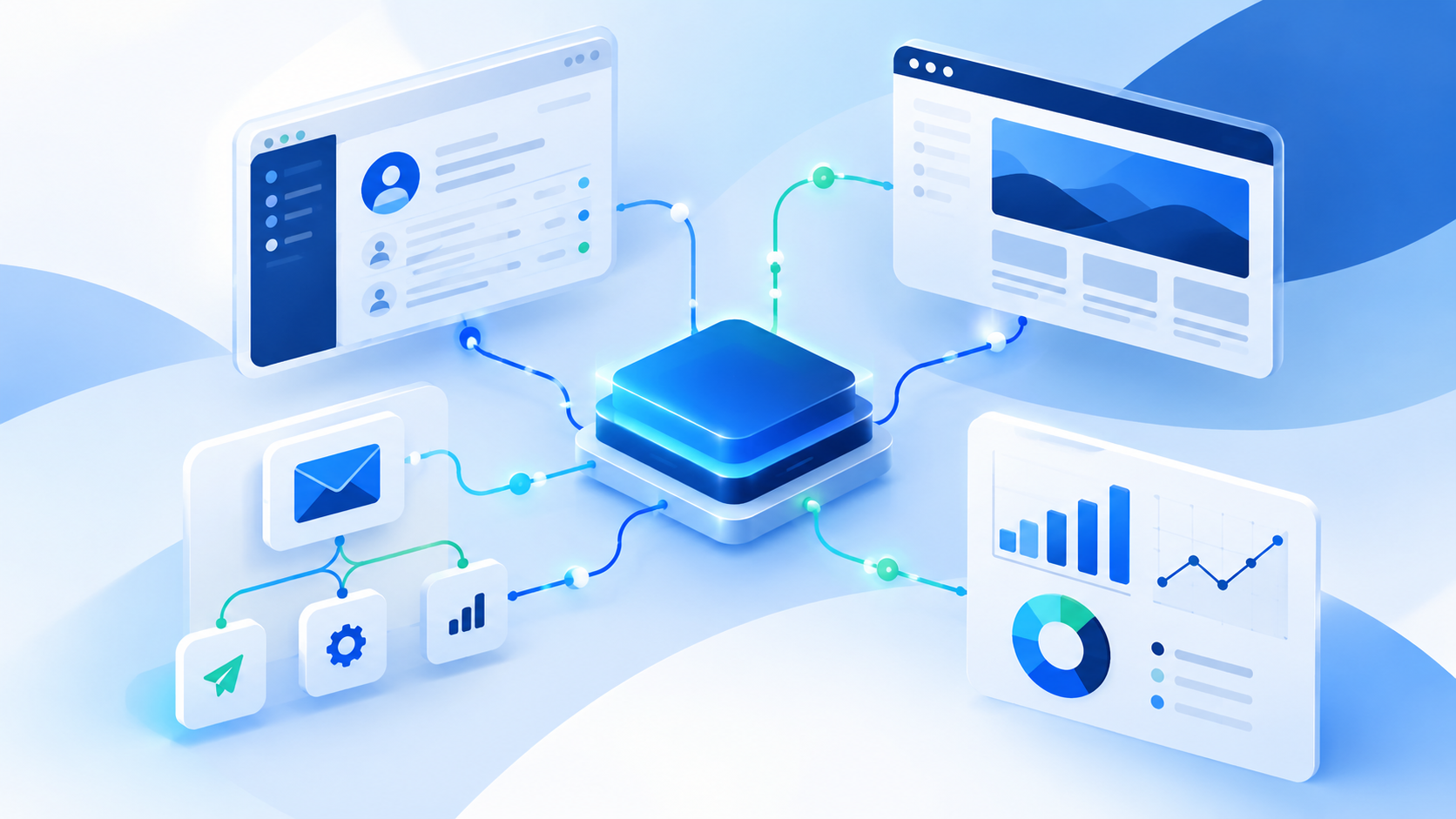
A HubSpot Blackbaud integration sounds simple on paper: connect your donor system to your marketing platform and let the data flow. In practice, it is one of the more finicky integrations a nonprofit can take on. Blackbaud is a provider of software and services built for the nonprofit, education, and healthcare sectors, and a connector exists to link its donor and constituent data with HubSpot's marketing, sales, and service tools.[1] The trouble starts when your data does not fit neatly into what the connector expects. This guide helps nonprofit marketing and operations teams compare integration agencies, spot the right questions to ask, and decide whether a standard connector is enough or a custom build makes more sense.
TL;DR
- A HubSpot Blackbaud integration lets marketing teams use donor and constituent data without manual re-entry, but the right approach depends on your Blackbaud product and your data.
- Judge any agency on five things: proven experience with both platforms, custom middleware skills, contact deduplication, reliable synchronization, and ongoing support.
- Native connectors work for standard fields and simple sync. Custom integration makes sense when several Blackbaud endpoints must be combined or matching rules are complex.
- Deduplication needs a plan before launch: reliable matching identifiers, stable external IDs, and a clear owner for each field.
- Computan's own Blackbaud and HubSpot project used a Laravel PHP middleware to merge multiple endpoints into one HubSpot object tied to the contact.
- Always test with new, updated, duplicate, and incomplete records, and test failed syncs too.
Why Nonprofits Integrate HubSpot with Blackbaud
The two platforms do different jobs, and that is exactly why teams want them connected.
Blackbaud for nonprofit operations
Blackbaud's products help organizations manage events, increase volunteerism, grow fundraising, and deepen donor engagement.[1] In short, it is where donor and constituent records live. What you can access depends on the Blackbaud product you use and the data its APIs expose.
HubSpot for marketing and engagement
HubSpot is where most teams run contact management, segmentation, email campaigns, nurturing workflows, and lifecycle reporting. It handles the marketing, sales, and service side that a donor database is not designed to do well.[1]
What integration makes possible
- Less repetitive manual data entry and better accuracy between systems.[1]
- Donation history available to marketers, so campaigns and content can be tailored to the audience.[2]
- Better segmentation and personalization, because constituent information is available where campaigns are built.
- Records that stay current as information changes in either system.
Most of these projects are one-way syncs from Blackbaud into HubSpot. Some teams segment in HubSpot and send that data back to Blackbaud for email marketing, which makes it a two-way integration.[2] The exact benefits depend on your Blackbaud product, the data available through its APIs, and how the integration is designed.
What to Look for in a HubSpot Blackbaud Integration Agency
Before comparing names, agree on the criteria. These five are the ones that decide whether the integration holds up six months after launch.
1. Proven experience with both platforms
Look for experience with HubSpot's APIs and CRM objects, familiarity with the specific Blackbaud product you use, and evidence of previous integration projects. General CRM implementation experience is useful, but it is not the same thing. Nonprofits asking peers about this integration on the Blackbaud Community describe weeks of trying to get it working and ideas like mapping the SKY API to HubSpot custom fields, which shows how much product-specific knowledge matters.[3]
2. Custom integration and middleware expertise
Ask whether the agency can work with multiple API endpoints, apply custom business logic, and map data from one platform into the structure the other expects. When a native connector cannot do what you need, the agency should be able to build middleware that sits between the two systems.
3. Contact deduplication and data quality
This is where many integrations quietly fail. Ask how the agency matches contacts across systems, how it handles duplicate emails, missing identifiers, and conflicting fields, and whether it defines a source of truth for each field. HubSpot itself deduplicates contacts by email address,[4] which is a helpful baseline, but nonprofit data often needs more than email matching.
4. Reliable contact data synchronization
Get clear on direction (one-way or bidirectional), the difference between the initial data load and ongoing updates, how new and changed records are picked up, and what happens when something fails. Error logging, retries, and monitoring should be part of the answer.
5. Security, testing, and ongoing support
Ask about API permissions and authentication, testing with representative records before launch, documentation and handover, and who maintains the integration as either platform or your requirements change.
Best HubSpot Blackbaud Integration Agencies Compared
The table below is a practical shortlist, not a ranking. Each provider is looked at against the same criteria, and where details are not public, we say what you should confirm. The right choice depends on your Blackbaud product, your data model, and how complex your sync rules are.
| Agency | Main evaluation focus | Best-fit scenario to investigate |
|---|---|---|
| Computan | Custom API integration, middleware, field mapping, and ongoing data updates | Nonprofits needing integration logic beyond a standard connector |
| Lake One | Nonprofit CRM transformation and migration experience | Organizations considering a broader fundraising and marketing systems redesign |
| Six & Flow | HubSpot implementation and nonprofit donor engagement workflows | Teams evaluating CRM setup alongside fundraising and marketing automation |
| Specialist integration partner | Direct experience with your exact Blackbaud product and data model | Organizations with highly specific synchronization or data governance requirements |
Computan
- Integration expertise: Computan built a custom Blackbaud and HubSpot integration using API calls, a Laravel PHP middleware, and scheduled jobs. The full story is in the case study below.[1] A K-12 school client also reviewed Computan on Clutch for a Blackbaud and HubSpot API integration.[5]
- Data synchronization: Scheduled retrieval of newly created and updated records from Blackbaud.[1]
- Custom development: Yes. Bespoke middleware and API work is the core of this offering.
- Best fit: Teams whose requirements go beyond what a standard connector supports.
- What to confirm: Your specific Blackbaud product, deduplication rules, and a scoped estimate after discovery.
Lake One
- Integration expertise: Lake One describes itself as a HubSpot partner for nonprofits and purpose-driven organizations, covering implementation, migration, integration, and ongoing management. It also names migration from legacy systems like Blackbaud as part of its work.[6]
- Documented material: Its content includes a guide on migrating from Blackbaud to HubSpot.[7]
- Best fit: Organizations thinking about replacing or restructuring systems, not only connecting them.
- What to confirm: Whether it builds ongoing Blackbaud to HubSpot sync for your product, how it handles deduplication, and pricing.
Six & Flow
- Integration expertise: In its Canadian Red Cross case study, Six & Flow implemented HubSpot Marketing Hub and Sales Hub with custom integrations between HubSpot, Fundraise Up, and Blackbaud.[8] It also reports implementing HubSpot for nonprofits across the United Kingdom and Canada.[9]
- Documented outcomes: The case study says email campaign reporting now includes donation data and that processes like the unsubscribe flow update automatically in the CRM.[8]
- Best fit: Teams setting up HubSpot alongside donor engagement and marketing automation.
- What to confirm: Technical details of the Blackbaud sync, matching rules, and support terms for your product.
Specialist integration partner
This row is a reminder to look beyond well-known names. If your Blackbaud product is less common, or your governance rules are strict, a partner with direct experience in that exact product and data model may be the safest choice. Ask for a similar project, not a general reference.
The latter three are research starting points, not a definitive ranking of the best providers for every Blackbaud product. Validate current service offerings, relevant project experience, and integration scope before you decide.
Computan's Blackbaud and HubSpot Integration: A Real-World Example
Criteria are easier to judge with a real project in front of you. Here is how our team approached a Blackbaud and HubSpot integration and what it shows about the questions worth asking any agency.
The integration challenge
A native integration option exists for Blackbaud and HubSpot, and it can sync Blackbaud data into HubSpot for marketing use. For this project, though, multiple Blackbaud endpoints had to be merged into one HubSpot object associated with the contact object. The native option could not combine multiple endpoints into a single object, so custom integration was the only way to deliver the required business logic.[1]
The second hurdle was app permissions and authentication. The client's team believed they had granted all the access needed, but a server-side mistake meant they had not. Our team worked with the client's server support and adjusted the call server time to resolve it.[1]
The custom integration approach
- We built a middleware application in Laravel PHP.[1]
- The middleware retrieved data from Blackbaud and combined it into data sets and properties HubSpot could understand, which is the data mapping step that makes the whole thing accurate.[1]
- API calls connected to Blackbaud, and a cron job pulled newly created and updated users.[1]
The outcome
The client could see the data in HubSpot as a single consolidated object built from several Blackbaud endpoints. Their marketers could then use that data to target their audience more precisely.[1] The published case study does not report a deduplication rate or a measured drop in duplicate contacts, so we will not claim one here. What it does show is how a complex mapping problem was solved and kept current.
What nonprofit teams can learn from this project
- Native integrations are not always enough. When data relationships are complex, a connector may not be able to represent them.
- Plan mapping around real usage. Decide how marketers will use the data first, then shape the HubSpot object to match.
- Test authentication early. Permission problems can look like integration bugs until someone checks access.
- Define how changes are detected. Scheduled sync needs a clear method for picking up new and updated records.
Computan has taken the same middleware approach on other projects. For example, one integration moved over 40,000 data entries from Vision Data Analyzer into HubSpot using middleware and webhooks.[10]
Need to connect Blackbaud and HubSpot beyond standard connector capabilities? Explore Computan's Blackbaud and HubSpot integration case study to see how custom middleware can support complex data mapping and synchronization. You can also read our Blackbaud and HubSpot custom integration article or learn more about our HubSpot integration services.
Native Connector vs. Custom Integration: Which Should You Choose?
Not every nonprofit needs an agency. Sometimes a connector does the job well.
When a native integration may be enough
- You only need standard contact fields and straightforward synchronization.
- The objects and relationships you need are supported by the connector.
- Little data transformation is required.
- Your workflow closely matches the connector's documented capabilities.
Packaged tools exist, too. For example, one Raiser's Edge NXT app developer offers an email marketing connector that now includes HubSpot as a supported platform.[12] It is also worth noting that HubSpot documents how its own native integrations handle duplicates. Its Salesforce integration, for instance, deduplicates leads and contacts by email address and accounts by Salesforce Account ID.[11] Ask any connector vendor for that same level of detail.
When custom integration services make sense
- Multiple API endpoints need to be consolidated into one structure.
- Fields need transformation or complex mapping.
- A standard connector cannot preserve the relationships you need.
- You need custom matching rules to manage duplicate records.
- You need specific sync schedules, error handling, or business logic.
That said, custom is not always the answer. Not every integration gap requires custom development, and a good partner will tell you so after scoping the work.[13]
Questions to ask before choosing
- Does the connector support the exact Blackbaud product and objects we use?
- Can it handle our contact-matching rules?
- How does it manage updates, deletions, and conflicting values?
- What happens when a sync fails?
- Can we extend it as our needs grow?
How to Evaluate an Agency's Contact Deduplication and Data Synchronization Process
Deduplication and synchronization are where the real risk sits, so this section goes deeper. Use it as a script for your vendor calls.
1. Define how records will be matched
Agree on the identifiers used to match a Blackbaud constituent to a HubSpot contact. Email address is the usual starting point, and HubSpot automatically deduplicates contacts by email.[4] Add external system IDs wherever possible, and plan for shared email addresses (for example, a household using one inbox) and records with no email at all.
2. Establish field ownership
Decide which platform is the authority for each field. Donor-related fields may belong to Blackbaud, while subscription preferences may be governed in HubSpot or another designated system. Without this, the two systems will overwrite each other.
3. Prevent duplicates during imports and updates
Match existing records before creating new ones and keep stable external IDs. HubSpot supports deduplication by Record ID during imports, and rows without a Record ID create new records, so a missing ID is a common way duplicates appear.[4] Also decide how to treat records that only partially match. HubSpot's own duplicate tool compares properties such as name, email, phone number, and company name,[4] which is a useful model for your own matching rules.
One more detail worth knowing: when a contact's secondary email is used as the unique identifier in an import that also includes the Record ID column, the secondary email replaces the primary email on the existing contact.[4] Ask your agency how it avoids that kind of overwrite.
4. Plan for ongoing synchronization
Choose scheduled or event-driven updates based on what the APIs allow and how fresh your data needs to be. Whatever the method, failed updates need logging, retries, and monitoring so someone knows when data stops flowing.
5. Test before going live
- New contacts.
- Existing contacts with updated fields.
- Duplicate or partially matching records.
- Missing or conflicting values.
- Related constituent and donation information.
- Failed API calls and recovery.
Questions to Ask Before Hiring a HubSpot Integration Agency
Bring this checklist to every discovery call.
- Have you integrated our specific Blackbaud product with HubSpot before?
- Can you show a similar project involving custom API mapping?
- How do you identify and prevent duplicate contacts?
- How do you preserve relationships between contacts and associated records?
- Which system owns each field when values conflict?
- How often will records synchronize?
- How will we monitor failures and verify data accuracy?
- What security controls protect our constituent and donor information?
- Who maintains the integration after launch?
- How will the project be scoped, tested, documented, and priced?
How to Choose the Right Integration Partner for Your Nonprofit
No single agency is the best fit for every nonprofit. Use your requirements to narrow the field:
- Choose a connector-focused provider when your workflow is standard and well supported.
- Consider a custom integration specialist when the project involves complex field mapping, multiple endpoints, or specific sync rules.
- Look for broader CRM implementation experience when the integration is part of a larger operational change.
- Put demonstrable experience, a clear technical plan, reliable data handling, and ongoing support ahead of a long list of certifications.
The right agency is the one that can show you how it will solve your specific data and workflow problems.
Putting It All Together
A good HubSpot Blackbaud integration starts with clear criteria, not a vendor name. Know whether your needs fit a native connector or call for custom middleware, settle your matching and field ownership rules early, and test with real edge cases before launch. If your project involves multiple Blackbaud endpoints or custom business logic, talk to the Computan team about scoping it.
Sources
[1] Computan: Blackbaud HubSpot Integration case study
[2] Computan: Blackbaud and HubSpot Custom Integration
[3] Blackbaud Community: Integrate Blackbaud to HubSpot
[4] HubSpot Knowledge Base: Deduplicate records in HubSpot
[5] Clutch: Computan review, Blackbaud and HubSpot API Integration for K-12 School
[6] G2: Lake One profile
[7] Fundraise Up Marketplace: Lake One
[8] Six & Flow: How Canadian Red Cross Improved Donor Journeys and Insights with HubSpot
[9] Six & Flow: HubSpot for Nonprofits, An Elite Partner's Perspective
[10] Computan: 5 Real World Use Cases of HubSpot Integrations in Action
[11] HubSpot Knowledge Base: Duplicate Salesforce leads, contacts, accounts, and opportunities syncing to HubSpot
[12] Redarc Systems: Apps that extend Raiser's Edge NXT
[13] Computan: 9 Signs You Need a Custom HubSpot CRM Integration
Frequently Asked Questions
Can HubSpot integrate with Blackbaud?
Yes. Integration options depend on the Blackbaud product, the data objects you need, and your workflow. A standard connector may cover common use cases, while custom integration may be needed for more complex requirements.
How do you prevent duplicate contacts when integrating HubSpot and Blackbaud?
Define reliable matching identifiers, check for existing records before creating new ones, keep external IDs, and set rules for conflicting or incomplete data.
Can HubSpot and Blackbaud synchronize data automatically?
Yes, depending on the connector or custom integration. Synchronization may use scheduled jobs or event-driven updates, depending on API capabilities and your requirements.
When should a nonprofit choose a custom Blackbaud and HubSpot integration?
When standard options cannot support the data relationships, transformations, matching rules, or sync behavior you need.
How much does a HubSpot Blackbaud integration cost?
Cost depends on the Blackbaud product, data volume, number of objects, sync direction, custom logic, and ongoing support needs. The best approach is to request a scoped estimate after technical discovery.
How do I choose the best HubSpot integration agency for a nonprofit?
Compare relevant case studies, experience with your exact platforms, data-matching methods, security practices, monitoring, documentation, and long-term support.