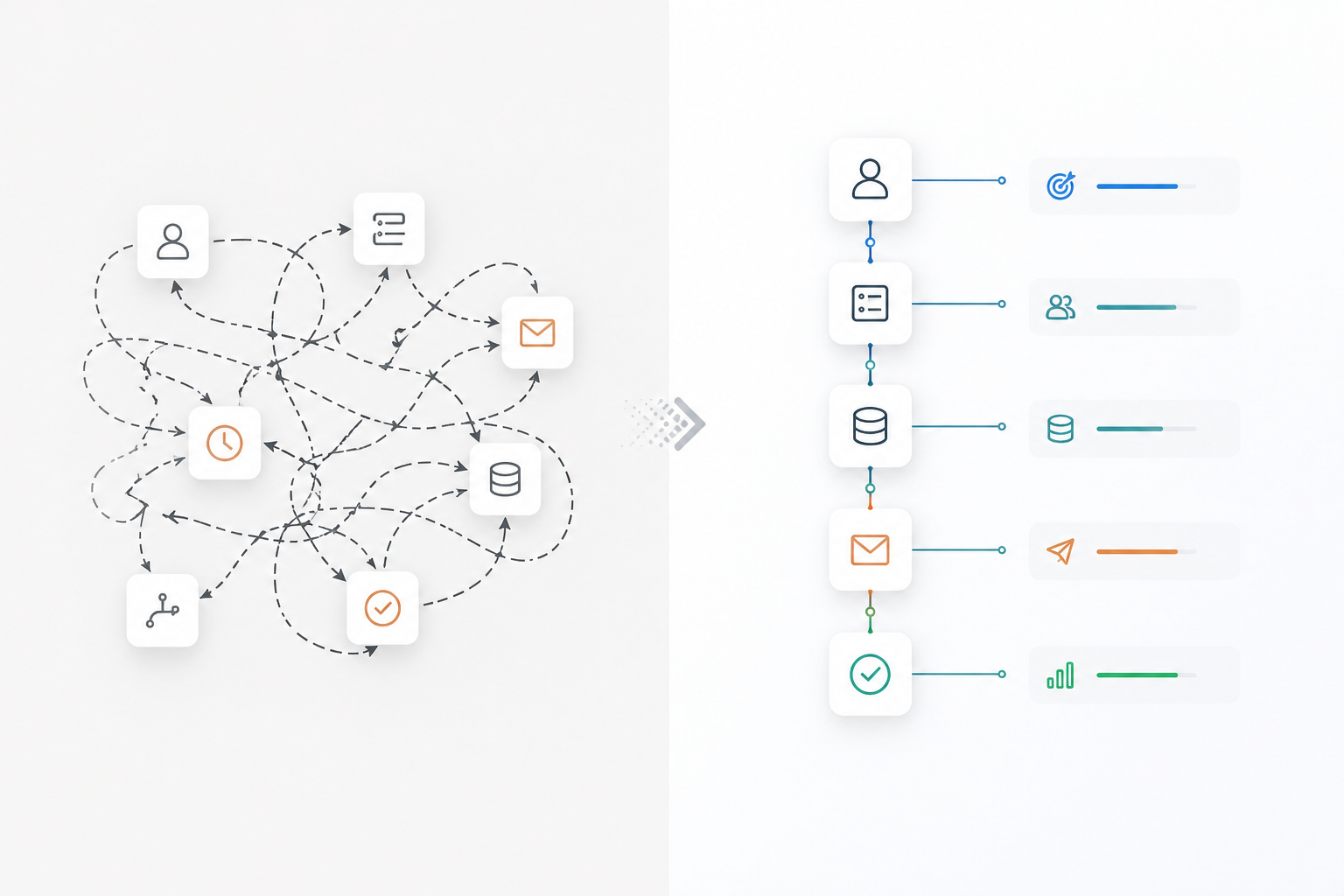
Your HubSpot portal probably isn’t broken. Your integrations probably are. Not because Slack stopped sending alerts. Not because Stripe missed a webhook. Not because Zapier failed. Most HubSpot stacks break for a simpler reason:
Nobody decided who owns the data.
Marketing updates lifecycle stages. Sales edits deal properties. Finance pushes payment events. Product sends usage data. Customer success adds expansion notes.
Everything syncs. Nothing agrees. Six months later, leadership stops trusting the dashboard. At that point, someone usually asks:
“Do we need to rebuild HubSpot?” Usually, no.
You need better integrations. This guide breaks down the integrations serious RevOps teams are running in 2026 and the operating decisions that keep them from becoming expensive data debt.
TL;DR
- Integrations rarely fail because tools break. They fail because ownership is unclear.
- Native HubSpot apps solve standard workflows. Middleware solves orchestration. APIs solve edge cases.
- Every sync needs three decisions: source of truth, sync direction, owner.
- The best integrations remove bottlenecks. The worst ones move bad data faster.
- If you’re not auditing integrations quarterly, you’re already behind.
Why Most Teams Connect Everything and Still Can’t Trust Their CRM
The first integration mistake usually doesn’t happen in HubSpot. It happens in a meeting. Marketing wants enrichment. Sales wants Slack alerts. Finance wants Stripe. Customer success wants Gong. Product wants usage events.
Every request sounds reasonable, so RevOps says yes. Three months later, HubSpot is connected to ten systems. Six months later, nobody can explain why a lifecycle stage changed. That’s when trust disappears.
One Series B SaaS company had HubSpot connected to Stripe, Slack, Fireflies, and an internal product database.
Everything looked healthy. Finance still flagged revenue discrepancies every month. The issue wasn’t HubSpot. Stripe was creating customer records before deals were marked Closed Won. The sync worked. The business logic didn’t.
That’s the difference between integration and architecture.
Why Native Apps, Middleware, and APIs Break in Different Ways
Most teams ask: “What’s the best way to connect this to HubSpot?”
Wrong question. The real question is: “What operational problem are we solving?”
Native HubSpot Apps Work Until Your Process Stops Being Standard
HubSpot’s marketplace is good. In many cases, it’s good enough. Slack. Teams. Shopify. Stripe. Aircall. You can connect most GTM workflows in minutes. That’s useful, until your process becomes even slightly custom.
One RevOps team needed approvals based on region, product line, and contract value. The native integration handled notifications. It couldn’t handle the logic. The workflow looked connected. The process still broke.
Native apps work when your process is generic. The moment your process becomes a competitive advantage, “plug and play” usually stops being enough.
Middleware Solves Fast Problems and Creates Invisible Debt
Zapier. Make. Workato. These tools make teams feel productive fast. And often, they are. One SaaS team built lead routing across five regions in two days. Six months later, nobody knew who owned forty-two automations.
Triggers overlapped. Properties conflicted. Some workflows hadn’t fired in weeks. The stack wasn’t broken. It was abandoned.
Middleware doesn’t create chaos. Unowned middleware does.
APIs Solve Edge Cases And Punish Weak Documentation
Eventually, serious RevOps teams hit workflows that native apps can’t handle. Product provisioning. Usage triggers. Internal systems. Custom billing. That’s where APIs win. They also create a new risk.
They keep working long after the people who built them leave. One PLG company tied product usage events to HubSpot lead scoring through custom APIs. It worked beautifully. Then a product property changed. Lead scoring stopped updating for three weeks. Nobody noticed.
APIs scale. Undocumented APIs create silent failures.
The HubSpot Integrations That Actually Move Revenue
The best integrations don’t move fields. They remove bottlenecks. That’s the standard.
HubSpot + Slack or Microsoft Teams
Most teams use communication integrations for visibility. Smart teams use them for decisions. One enterprise team routed every deal above $50,000 into a Slack approval channel. HubSpot updated the deal. Slack triggered leadership review. Approvals happened in minutes instead of days.
Slack should support your process. The moment Slack becomes your CRM, you’ve already lost.
HubSpot + Stripe or Shopify
Revenue syncing is easy. Revenue logic isn’t. One SaaS company used Stripe events to trigger expansion workflows in HubSpot. When MRR increased, HubSpot updated account value and assigned a follow-up task to customer success. Expansion opportunities stopped getting missed. It worked because billing stayed in Stripe. Action stayed in HubSpot.
Clear ownership beats clever automation every time.
HubSpot + Fireflies or Gong
Meeting intelligence sounds useful until your CRM turns into a transcript archive. One sales team pushed every call note into HubSpot. Two weeks later, nobody read anything. So they changed the logic. Now only competitor mentions trigger workflows. If “Salesforce” comes up in a call, HubSpot creates a battlecard task. Same integration. Completely different outcome.
Meeting data matters only when it triggers action.
Why Mature RevOps Teams Design Sync Logic Before They Build Anything
Every integration needs three decisions. Miss one, and you’ll pay for it later.
Most integration issues do not start with APIs. They start with workflows that already have overlapping ownership. If multiple automations are updating the same lifecycle properties, integrations only amplify the chaos. That’s why workflow governance comes first. See “HubSpot Workflow Templates Are Breaking Your GTM."
1. Decide the Source of Truth
Every field gets one owner.
Not two. Not “it depends.”
- Billing → Stripe
- Lifecycle stage → HubSpot
- Product usage → Warehouse
- Support metrics → Support platform
If two systems can overwrite the same field, one eventually will.
2. Decide Sync Direction
Most teams default to bi-directional sync because it sounds flexible. It usually creates conflict. One-way sync creates clarity. Event-based sync creates control. Bi-directional sync often creates cleanup work.
3. Decide Ownership
Every integration needs a human owner. Not a team. A person. Someone who knows why it exists, what breaks when it fails, and who gets alerted.
If nobody owns the sync, the sync owns you.
The Integration Audit Every HubSpot Team Should Run Quarterly
Every integration creates debt. Strong teams manage it. Great teams delete what no longer deserves to exist.
Ask five questions every quarter:
- What bottleneck does this remove?
- Is anyone still using it?
- Who owns failures?
- What breaks if it stops?
- Can HubSpot now do this natively?
One agency ran this audit across twenty-eight automations. They found nine duplicates, four dead integrations, and two conflicting scoring models. One cleanup sprint improved reporting accuracy more than any new tool purchase.
Operational maturity isn’t adding more automation. It’s deleting the wrong automation.
Final POV
Anyone can install an app. Anyone can build a Zap. Anyone can call an API. Very few teams build systems that still make sense a year later. Before connecting another tool to HubSpot, ask:
- What bottleneck does this remove?
- Who owns the data?
- What happens when it fails?
- Can HubSpot already do this natively?
Because the cost of a bad integration isn’t technical.
It’s revenue decisions made on bad data.
That gets expensive fast.
FAQs
1. Why do most HubSpot integrations fail?
Most HubSpot integrations fail because teams never define data ownership. Multiple departments update the same properties, systems overwrite each other, and reporting becomes unreliable. The issue is usually operational governance, not the tools themselves.
2. Should I use native HubSpot apps, middleware, or APIs?
It depends on workflow complexity. Native HubSpot apps work well for standard processes, middleware tools help orchestrate cross-platform workflows, and APIs are best for custom product, billing, or internal system integrations.
3. What is the best way to prevent CRM data conflicts in HubSpot?
Assign a single source of truth for every critical field, define sync direction clearly, and assign one person to own each integration. This prevents systems from overwriting each other.
4. Are bi-directional syncs a bad idea in HubSpot?
Not always, but bi-directional syncs often create conflicts when ownership is unclear. Many mature RevOps teams prefer one-way or event-based syncs for better control.
5. How often should HubSpot integrations be audited?
HubSpot integrations should be audited at least quarterly. Regular audits help identify duplicate workflows, unused automations, broken syncs, and outdated integrations.
6. Can HubSpot handle integrations without middleware tools like Zapier?
Yes. HubSpot can natively handle many integrations through its app marketplace and workflows. Middleware is only necessary when orchestration or custom logic goes beyond HubSpot’s native capabilities.
7. What should every HubSpot integration define before going live?
Every integration should define three things: source of truth, sync direction, and ownership. Without these, even technically successful integrations can create data debt.
8. What is the biggest cost of poor CRM integrations?
The biggest cost is bad business decisions made from inaccurate revenue, pipeline, or customer data—not the technical failure itself.